In this chapter … The game’s inventory is complete with the addition of staves and wands which requires the ability to throw an attack across the map and let the user pick a direction. A bug with the handling of groupable items provides another lesson in object-oriented design. Read more of the Rogue C# series here.
Sometimes, it’s best to fight monsters at a distance – get in a few hits before they can get up close and pummel you. That’s why the classic Rogue allows for throwing objects and casting spells from multiple spaces away. After taking a bit of a break from the project, I decided to add the rest of the inventory and work on throwing and casting.
This post is part of a series on creating a roguelike game in C#. For the latest chapters and more information, please visit the Official Project Page on AndrewComeau.com. The current code for this project is also available on Github.
Don’t miss the next chapter! Subscribe for free on Substack to be notified when new chapters are posted.
This one stumped me for a moment.
In an earlier chapter, I explicitly made a design choice because I knew that, otherwise, it would be a hassle to code a second input from the user on an action, but staffs (staves?) and wands left me no choice. The user has to select a specific item to zap with and then they have to select a direction; there’s no way around it.
Let us review how the Game class currently handles things …
- The uses presses one of the keys to perform an action, e.g. ‘w’ for wielding.
- The KeyHandler() method searches the KeyActions dictionary for a delegate to call and finds WieldProc() for the class constant matching ‘w’.
- In this case, WieldProc() is just a proxy that calls the Wield() method and passes a null value for the nullable char parameter that method accepts. The delegate system needed a consistent delegate signature for all key commands so I used a simple Action delegate with no parameters and the proxy methods where needed.
- The Wield() method looks at the DisplayMode to decide what to do. The DisplayMode property is based on an enumeration that specifies which screen should be showing. If the Inventory listing is not showing, the Wield() method shows it, asks the player to select an item and sets itself as the method held by the ReturnFunction class property.
- The user either selects an inventory item from the list or hits ESC. The KeyHandler() property also looks at the DisplayMode, sees the Inventory screen is showing and recalls the Wield() method stored in ReturnFunction, this time passing the key pressed by the user to select the inventory item.
- The Wield() method sees that the Inventory screen is showing, gets the character that was passed to it, matches that character to an Inventory item and performs the correct operations on it such as marking it as the wielded weapon or telling the user it’s not suitable as a weapon or that they chose a non-existent option.
In order to use the Staff of Striking or Wand of Fire, the user has to select that item and then return to the game screen so they can see which direction the monster is in that they want to zap. So the new ThrowItem() and Zap() methods need an inventory item and a direction to fire in and they need to get that direction when the user is looking at the game map.
After staring at the screen forlornly for awhile, I decided to sleep on it. The answer came almost immediately after lying down.
The ReturnFunction property will become part of a tuple that includes the user’s keypress and their selected direction. The KeyHandler(), ThrowItem() and Zap() methods will reference and maintain this tuple to allow the necessary inputs from the user and gather the information to complete the operation. Even better, the rest of the methods like Wield() and Eat() will reference the tuple instead of requiring parameter inputs. This will render the proxy methods obsolete.
Sounds like a plan. Let’s see if it blows up.
Getting some bearings
To make things “simpler”, I want the directional keys (ASCII 37 through 40) to map directly to directions on the game map. I went back to look at the MapLevel.Direction enumeration.
public enum Direction
{
    None = 0,
    North = 1,
    East = 2,
    South = -1,
    West = -2
}
I did it this way so I could quickly determine relative directions with lines like this in GetDirection90().
(Math.Abs((int)startingDirection) == 1) ? (Direction)2 : (Direction)1;That actually means that North and South are both changed to East, and East and West are both changed to North. It’s 90 degrees but it’s not a consistent direction. The 90, 180 and 270 degree calculations will just have to settle for Switch statements which will shift everything in a clockwise direction. Let’s see how it works.
public enum Direction
{
    None = 0,
    West = 37,
    North = 38,
    East = 39,
    South = 40,
}

public Direction GetDirection180(Direction startingDirection)
{
    Direction retValue = startingDirection;

    switch (startingDirection)
    {
        case Direction.West:
            retValue = Direction.East;
            break;
        case Direction.North:
            retValue = Direction.South;
            break;
        case Direction.East:
            retValue = Direction.West;
            break;
        case Direction.South:
            retValue = Direction.North;
            break;
    }

    return retValue;
}
That manual approach did bother me a little and I felt like there had to be a simpler way so I checked with ChatGPT and it suggested a couple of alternatives.
public Direction GetDirection180(Direction direction) =>
    (Direction)((((int)direction - 37) + 2) % 4 + 37);
Even GPT admitted that one was a little “opaque”. Then it suggested some different syntax.
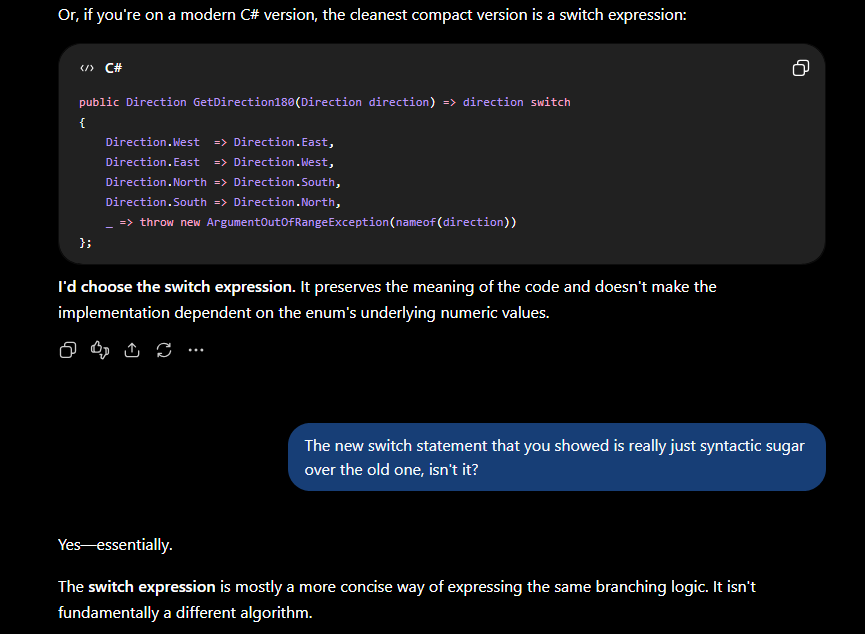
At least it was honest. I decided to stick with the manual, readable method.
After I fixed the three directional methods, the map didn’t seem to mind the change at all.
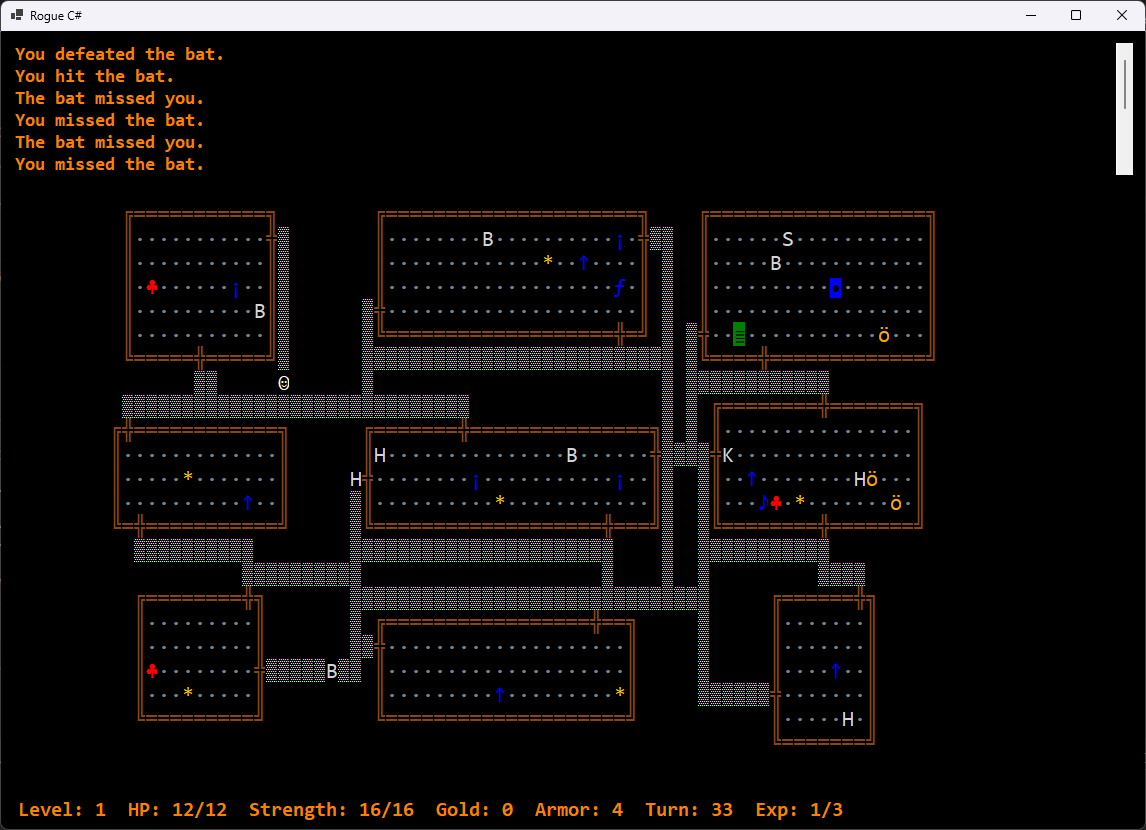
Just change it and see what breaks …
Refactorings like this one are why I’m glad for the compile-time checking and the Visual Studio error list.
public Action<char?>? ReturnFunction { get; set; }… becomes …
public (Action? ReturnFunction, char? UserKey,
        MapLevel.Direction? UserDirect) UserInput { get; set; }
The Error List helpfully highlighted all the points in the class that I need to look at.
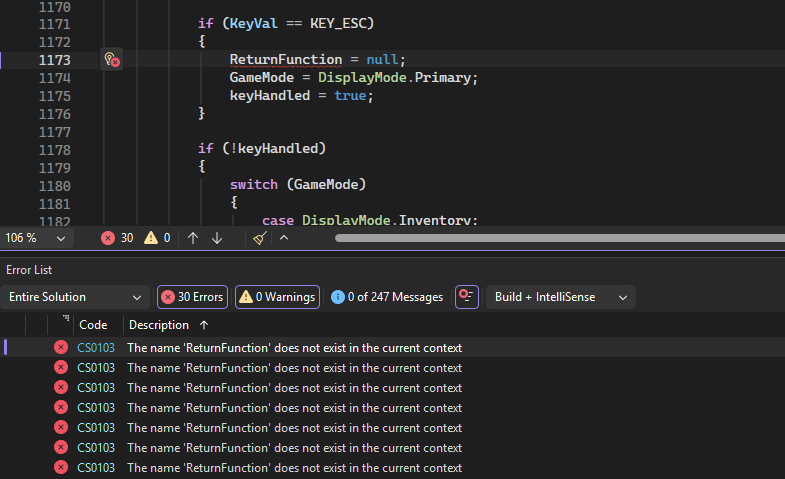
Simply trying to change the ReturnFunction value on its own doesn’t fly, either. I’ll really have to think about each one of these.
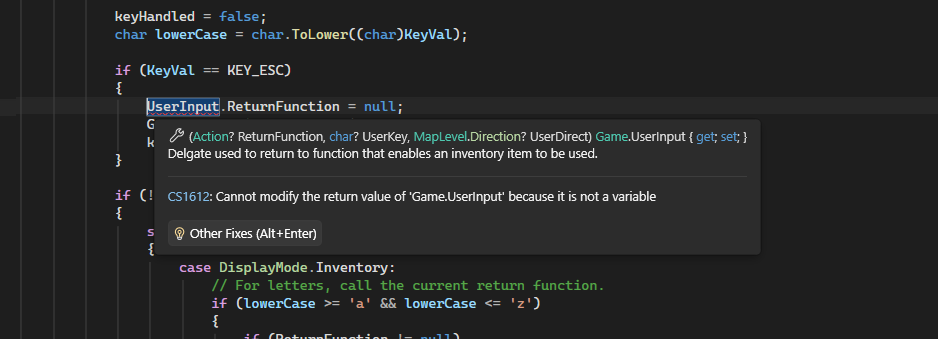
Then I realized that there was no reason for the UserInput property to be a property at all, or public for that matter. Making it a private class-level field would keep all the methods from having to grab its content into their own variables.
private (Action? ReturnFunction, char? UserKey, MapLevel.Direction? UserDirect) UserInput;The KeyHandler() method was overdependent on the DisplayMode, assuming that if the Inventory screen was showing, then there must be a ReturnFunction to call. I changed this Switch statement to a test for the presence of the ReturnFunction and a call to it, transferring any key pressed by the user into the UserInput tuple.
if (!keyHandled)
{
    if (UserInput.ReturnFunction != null)
    {
        // For letters, call the current return function.
        if (lowerCase >= 'a' && lowerCase <= 'z')
        {
            UserInput.UserKey = lowerCase;
            UserInput.ReturnFunction!();
        }
        else if (KeyVal >= (int)MapLevel.Direction.West &&
            KeyVal <= (int)MapLevel.Direction.South)
        {
            UserInput.UserDirect = (MapLevel.Direction)KeyVal;
            UserInput.ReturnFunction!();
        }
    }
    else
    {
        if (KeyActions.TryGetValue(new recKeyChord(KeyVal, Control, Shift), out var taskInfo))
            taskInfo.method.Invoke();
    }
    keyHandled = true;
}
Of course, this means that I have to make absolutely sure that the ReturnFunction is updated at all times. It’s also best to set the entire UserInput tuple each time, instead of just one of the elements, even if it means keeping some of the current values.
After that, the individual action methods like Wield() need to be updated to refer to the new UserInput field instead of the ReturnFunction property. This means they lose their parameters and refer to the UserInput.UserKey value.
That means that the proxy methods like WieldProc go away and the KeyActions dictionary calls Wield() directly. WieldProc was also setting the TurnInProgress class variable to indicate that a turn had started so Wield() and the other action methods will to have to take responsibility for that, too.
If there’s no UserKey value in the UserInput tuple, that means the user hasn’t selected an inventory item yet, so …
if (UserInput.UserKey == null)
    TurnInProgress = true;
Tossing stuff around the dungeon
I actually decided to start with the Throw() method. Throwing and zapping are the same in that you’re tossing something at a monster, the game needs to decide if you hit and then needs to decide the result. Zapping just means that you’re throwing a spell of some sort that still might miss (but probably won’t) and the delegate needs to be invoked.
Now that we have a tuple to refer to, the method starts off relatively simple.
if (UserInput.UserKey == null)
{
    TurnInProgress = true;
    GameMode = DisplayMode.Inventory;
    UpdateStatus(" Please select an item to throw.", false);
    UserInput.ReturnFunction = ThrowItem;
}
else if (UserInput.UserKey != null && UserInput.UserDirect == null)
{
    GameMode = DisplayMode.Primary;
    UpdateStatus(" Which direction?", false);
    UserInput.ReturnFunction = ThrowItem;
}
else if (UserInput.UserKey != null && UserInput.UserDirect != null)
{
    items = (from InventoryLine in GameInventory.InventoryDisplay(CurrentPlayer.CharacterInventory)
             where InventoryLine.ID == UserInput.UserKey
             select InventoryLine).ToList();
...
The first call to the method looks for a key indicating a selected item, doesn’t find it and asks for a selection. The second call has the selected item but asks for the direction. The final call verifies that both the selection and direction are in place and starts the process. After that, the method has to find the item and throw it.
- Select the specified item from the player’s inventory.
- Determine if it’s a single or groupable item (e.g. arrows). For groupable items, take the first one.
- Find a monster in the current room in the specified direction.
- If there’s a monster, launch an attack with the item. If not, find a space for the item to land.
- Either way, remove the item from the player’s inventory. Put it on the map, if necessary.
- Update the user.
- Clear the UserInput tuple.
Finding the monster
Detecting the monster required a new DetectMonster() function in the MapLevel class which accepts the starting point and the map direction. In order to keep things readable, I got a little enthusiastic about helper functions.
// Helper function to get current space display character.
char currChar() => levelMap[currentX, currentY].MapCharacter.DisplayChar;
// Helper function to detect monster.
bool foundMonster() => (DetectMonster(levelMap[currentX, currentY]) != null
    && CurrentPlayer!.Location != levelMap[currentX, currentY]);
// Helper function for chracters that tell us we're still in the room.
bool inBounds() => InhabitableSpacesGlyphList.Contains(currChar());

switch (UserDirection)
{
    // Move a space at a time. Retain one space before current.
    case Direction.North:
        while (!foundMonster() && inBounds())
            currentY--;
        break;
...
The function will search in the specified direction until it reaches a wall or other space that isn’t habitable. This might mean it can shoot out a door but I haven’t tried that yet. If it finds a monster before that, it returns the monster as the result.
Upgrading attacks
If there is a monster in the path of the throw, it only makes sense to call the Game.Attack() method but it needed some upgrades because now it needs to know what the player is using to attack with and whether it’s a charged (zapping) attack.
private void Attack(Player Attacker, Monster Defender, Inventory? Item, bool Charged = false)Before this, the method just looked at whatever the player was wielding so, now, we’ll have it select.
Inventory? weapon = (Item == null ? CurrentPlayer.Wielding : Item);As I write this, I realize that I never worked the Inventory.AccIncrement property into the Attack() method’s decision about whether the player scores a hit so I’ll need to do that. The hit chance for staves and wands also needs to be different than impact and ranged weapons.
Wands and staves can be wielded as well as used to zap with so the the Attack() method now has to decide if this is a spell or a melee attack. It looks for a delegate as it does with scrolls and potions. If the method has been called with Charged = False for a normal hit or a throw, it will set the delegate to null so it’s not run. It will be up to the Zap() method to decide if the item has no charges left, in which case it should not call Attack() anyway.
if (taskInfo != null)
    taskInfo.Invoke(Defender);
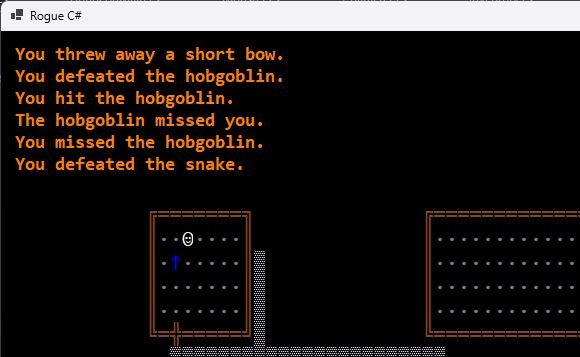
Finally, there are two possible cases where the item ends up on the map – if there is no monster to target or if the player throws and misses. The Throw() method will handle the first case and the Attack() method handles the second. Since this is happening in two places, I decided a new MapLevel class function was needed to be run if Throw() doesn’t find a monster to hit or if the items misses after Attack() is called.
public void AddInventoryNearby(Inventory Item, MapSpace Location, int Spaces)
{
    // Is the specified location in a room?
    bool inRoom = (Location.MapCharacter.DisplayChar == ROOM_INT.DisplayChar);
    // Get region limits
    (MapSpace TopLeft, MapSpace BottomRight) corners = GetRegionLimits(Location.X, Location.Y);
    // Find a place for the item to land.
    Item.Location = GetOpenSpace(!inRoom, GetSurrounding(Location.X, Location.Y, Spaces))!;

    MapInventory.Add(Item);
}
Objects in Code
The idea of wielding and throwing grouped items led to a couple issues. The first clue I had a problem was when I was wielding and trying to throw groupable objects which I recorded as an issue on Github.

The bit about all four darts being wielded had to do with the IsGroupable setting on the inventory item which needed to be set to false on that one item but there was a deeper problem going on.
The ThrowItem() method transfers the item from the player’s inventory to the map’s inventory if there’s no monster to be found.
CurrentPlayer.CharacterInventory.Remove(thrownItem);

CurrentMap.AddInventoryNearby(thrownItem, CurrentPlayer.Location!, 3);
The MapLevel.AddInventory() method I was previously using has an option to clone the Inventory object when adding and throwing worked fine if I set it to True but I knew I shouldn’t need to. I realized that I was managing inventory without really allowing for how C# was identifying specific objects.
With object orientation, when you test for equality with “Item1 == Item2”, you’re not looking at the object properties; you’re looking at the reference to the object. In other words, you’re not asking “Are these monsters both aggressive trolls with this scary number of hit points?”. You’re asking if both of these variables are references to the same monster. If you set Item2 to equal Item1, you’re not creating a new object; you’re creating another reference to the same object and anything you do to Item2 now happens to Item1.
I knew all this but knowledge doesn’t always make it into the code when you’re juggling a lot of different ideas and just trying to get something to work.
I went around with this issue for a bit before deciding to add an identifier to the Inventory class.
private static int objID = 0;
public int InstanceID = objID++;
I ran the game, tossed some arrows around and found that all the instance IDs in my player’s collection of arrows were the same. I knew immediately where the problem had to be and found this in the Player class constructor.
// For ammunition, which is always groupable, add a random number.
if (item.ItemCategory == Inventory.InvCategory.Ammunition)
{
    for (int i = 1; i <= rand.Next(1, MAX_AMMO_BATCH + 1); i++)
        this.CharacterInventory.Add(item);
}
The constructor pulls a list of assignable inventory from the list of Inventory templates when the Player object is created and adds them to the Player’s inventory collection. As you can see here, it’s just adding the references to the objects created in the template collection – four arrows, four references to the same arrow object. Oops.
The correct way is to create a new Inventory object from the template with the cloning constructor I’d previously created.
for (int i = 1; i <= rand.Next(1, MAX_AMMO_BATCH + 1); i++)
    this.CharacterInventory.Add(new Inventory(item));
Of course, a mistake like this doesn’t happen just once so a lot of code review followed.
Where’s my magic wand??
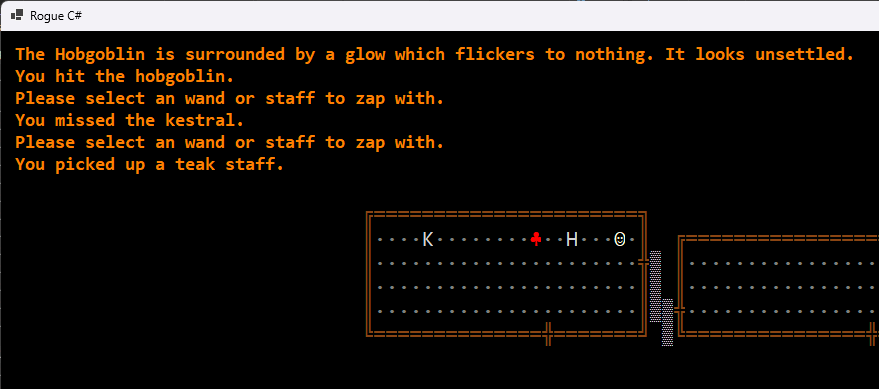
Now that throwing objects was taken care of, zapping was relatively easy and mostly involved copying the ThrowItem() method and removing stuff from it.
- Wands and staves aren’t groupable so we just take the item the user selects.
- No tossing stuff on the ground or playing with inventory.
We just need to see if there’s a monster in the direction the player is pointing the magic stick, call the delegate associated with the item and see if we can make the monster’s day a bit worse. Except … something like the Staff of Light doesn’t need a monster as a target. Fortunately, I thought of that when writing the delegates. In the code below, if there’s a monster in the way, the Attack() method will take care of calling the delegate and the monster will be passed to it. Otherwise, Zap() calls the delegate and passes the Player object.
From Zap() ...
// If there's a monster in the path of the throw treat this as an attack.
// Otherwise, just call the associated delegate and pass the player.
if (target != null)
    Attack(CurrentPlayer, target, zappingItem, true);
else
{
    if (InventoryActions.TryGetValue(zappingItem.PriorityId, out var taskInfo))
        taskInfo.Invoke(CurrentPlayer);
}

...
private void StaffOfLight(Character character)
{
    if (CurrentPlayer.Location != null)
        CurrentMap.LightUpRoom(CurrentPlayer.Location.X, CurrentPlayer.Location.Y);

    if (character is Player)
        UpdateStatus("The entire room is lit with an unearthly glow.", false);
    else
        UpdateStatus("The monster seems dazzled for a moment.", false);
}
There’s also the issue of the number of charges available in a staff or wand. I didn’t want to add a new property to the Inventory class that was only going to be used by staves and wands. That might be stingy of me or it could just be a bias from all the time I’ve spent doing data normalization.
My solution was to subtract from the SaleValue property of the item for every use and then stop calling the delegate when the value gets below a certain point. The SaleValue determines what the item is worth in gold if the player wins the game but it can also be used to determine the number of charges.
The Inventory.InventoryVariation() method is called when a new item is created.
public void InventoryVariation(Inventory item)
{
    item.IsCursed = (!item.IsProtected && rand.Next(1, 101) < ITEM_CURSE_PROB);

    switch (item.ItemCategory)
    {
        case InvCategory.Armor:
        case InvCategory.Ring:
            item.Increment = item.IsCursed ? rand.Next(-5, 0) : rand.Next(1, 6);
            break;
        case InvCategory.Wand:
        case InvCategory.Staff:
            // Sale value based on number of charges * 50.
            item.SaleValue = ZAP_CHARGE_COST * rand.Next(2, 11);
            break;
    }
}
ZAP_CHARGE_COST is a new constant that equals 50 which I decided was a nice round number and a reasonable value on the chance of getting away from an angry troll.
In the Zap() method …
if (zappingItem != null)
{
    if (zappingItem.SaleValue <= ZAP_CHARGE_COST)
        UpdateStatus(" Nothing happens.", false);
    else
    {
        zappingItem.SaleValue -= ZAP_CHARGE_COST;
...
So, if the SaleValue of the item is down to 50 or less, it really is pretty much worthless although it can still be wielded.
Coming Up
There’s still a lot to be done. In the next chapter, I need to do a complete round of testing for all the inventory now that items can be wielded and thrown, including non-conventional weapons like armor. There will be a lot of adjustments. I also need to rework the inventory limits for the player so we can have a consistent idea of what can fit in the inventory and what can’t.
Stay tuned.