In this chapter … I take a brief look at the original Rogue code, review access modifers in C# and review the Rogue C# code for their proper use. Read more of the Rogue C# series here.
I got a treat this morning when I was browsing Reddit’s Roguelike Development subreddit; someone posted a link to a page on MaiZure’s Projects with the original Rogue source code and a line-by-line code walkthrough of the entire game project. Through that, I found The Rogue Archive, a page devoted to the collection of old Rogue versions and other roguelikes.
The note that surprised me most was:
“No best practices. Globals everywhere! No standard functions or header guards”
That’s refering to global variables and other resources that can be accessed and changed from anywhere in the code. It’s often not a great practice because it’s much harder to narrow down where a bug is coming from in the code. Then, consider a project like Rogue with (according to the page) 9,000 lines of C and 800 lines of Assembly and you can imagine the problem.
While I was chuckling over this, I suddenly thought “Wait … what about my code?” I stopped chuckling and went to take a look.
This post is part of a series on creating a roguelike game in C#. For the latest chapters and more information, please visit the Official Project Page on AndrewComeau.com. The current code for this project is also available on Github.
Don’t miss the next chapter! Subscribe for free on Substack to be notified when new chapters are posted.
When Public Access isn’t a good thing
Okay, my code didn’t have the global variable issue so much as an over use of publicly declared properties and other resources. It seems to be something of a default with C# and I hadn’t been paying attention.
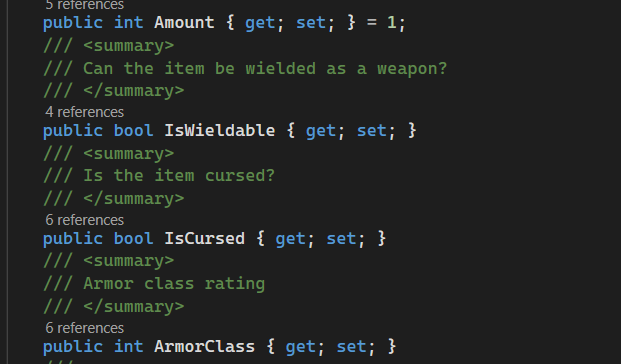
The word public in those statements is the access modifier. It determines what parts of the code can access the property. Let’s review the main access modifiers available in C#.
- Public – Properties can be seen, accessed or changed from anywhere as long as the code can access an instance of the class.
- Internal – Only code in the same assembly, usually that means the current project, can work with the property.
- Protected – Only the containing class or classes derived from it can see or work with the property.
- Private – Access is limited to the current class.
You can also do protected internal and private protected but those are the four main access modifiers to remember. Static is a modifer but it affects how the data is maintained by the class rather than the location where it’s available from.
public static readonly MapGlyph CHARACTER
   = new MapGlyph('☺', Color.LightYellow, Color.Black);
The Principle of Least Privilege applies here; the least amount of access that will allow the program to work is best. Increased access is a risk and a responsibility, not a benefit. Aside from the risk of the data being changed by accident, it can also obscure the necessary functions when accessing the object from another class.
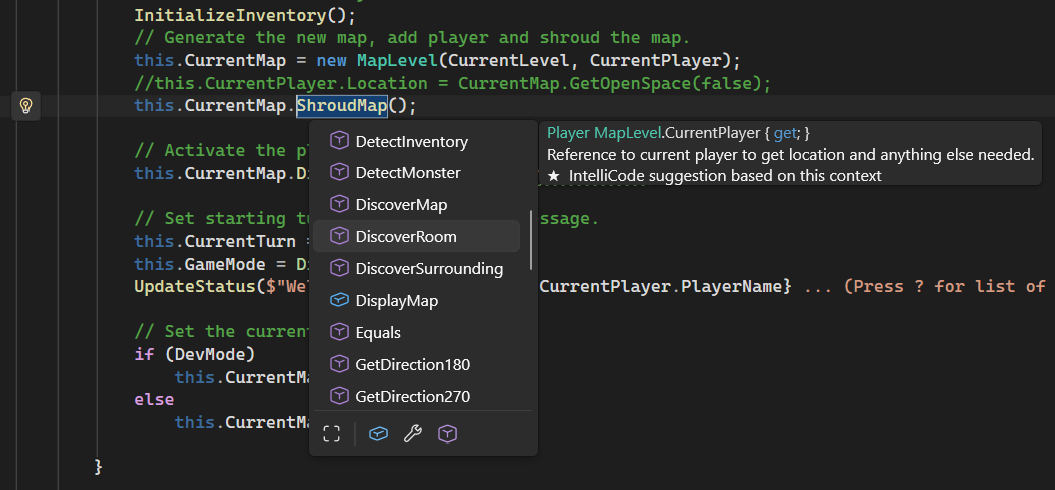
Fortunately, Visual Studio makes it pretty easy to see where a property is being referenced from. In one of the earlier screenshots, you could see a count of the references above each property. You can click on that count to automatically bring up a list of the references. You can also right-click on a property name and choose Find All References from the context menu.
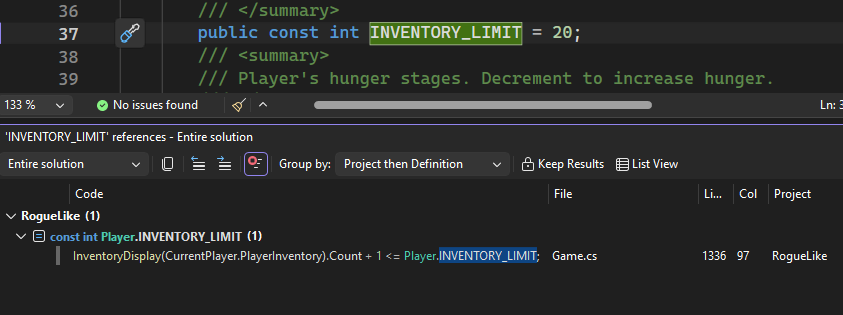
So for now, I’m changing any public properties and resources that aren’t being used outside their class to private. Since this assembly exists on it’s own, there’s no practical difference between public and internal so I’ll leave the rest alone. Classes are, by default, declared as internal in C# which limits everything inside them to internal access at most. These changes aren’t carved in stone, either. I can always increase access as necessary later on.
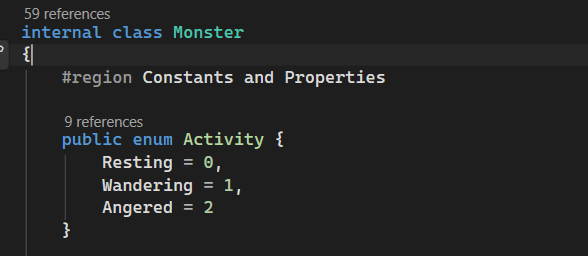
Of course, after making changes like this, the code should be thoroughly tested to ensure that nothing’s been broken. Fortunately, playing through a few levels of this game will pretty much do it since that accesses all the code.
Rogue: Origins
I’ve found a few references that provided information about the original Rogue design and shared them here but actually seeing the original code was a real peek behind the curtain. I don’t code in the original C or assembly so the commentary is of more use to me than the code itself. Still, it’s a little humbling to see the kind of work done by programmers before me on such a legendary game.
The analysis does reassure me that I’m pretty much the right track, considering that I worked a lot of it out myself. The algorithm for building a map level is much like what I did although I haven’t worked traps in yet. It’s nice to have some of the percentages that the original game worked with spelled out such as the chances of a room being “dark”, or containing a monster or inventory. I’ll probably continue to adjust my own game’s percentages independently for the fun of it but it’s good to see what the original programmers were thinking. The map characteristics changed more than I realized based on level.
So, if you’re interested in seeing how the original programmers thought and how something like this was coded back in the early 80s, check out MaiZure’s code archeology site where he examines a number of old games including Rogue and The Wizard’s Castle.