In my latest video … I provide an overview of the project and a playthrough of the game to see its current state and flush out any bugs. Read more of the Rogue C# series here.
I decided it was time for that playthrough of the game to see where things were. My first impression was it was way too easy so I amped up the difficulty until I could barely get onto the second dungeon level without getting stomped by a hobgoblin. You can see the playthrough in my newest video below where I also tackle a few of the other issues I found.
Also in this video, I’m using a new custom ElevenLabs voice that I named “Dave from I.T.”. They just released their new ElevenLabs v4 model and the new text-to-speech capabilities are very impressive. I know it makes video production easier.
This post is part of a series on creating a roguelike game in C#. For the latest chapters and more information, please visit the Official Project Page on AndrewComeau.com. The current code for this project is also available on Github.
Don’t miss the next chapter! Subscribe for free on Substack to be notified when new chapters are posted.
Looking for a challenge
After a few dungeon levels, it really was obvious that the monsters were holding back so I made a few adjustments throughout the code. Just to verify things, I put some debug messages in the attack routines to show what was really going on.
Debug.Print($"The {Attacker.CharacterName} hit you with a {hitChance.ToString()} chance of hitting.");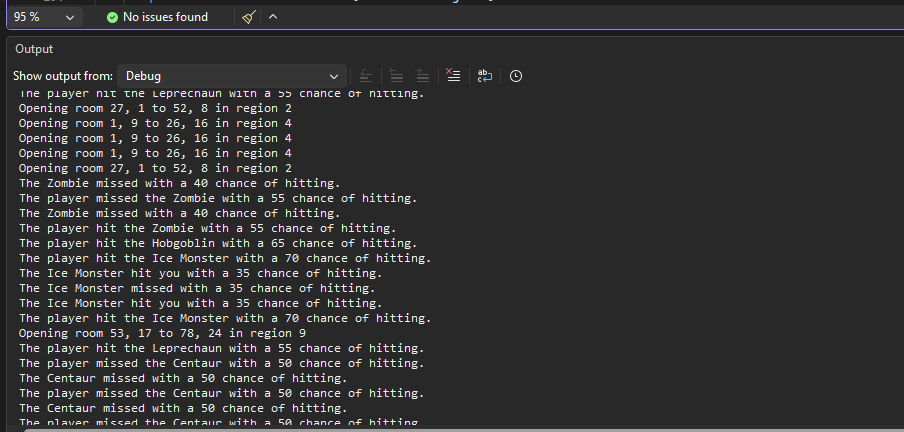
A big issue was in the Character class Accuracy() function which determines the chance either the player or monsters have of scoring a hit on each attack.
if (Attacker is Player)
{
    Player attack = (Player)Attacker;
    Monster defend = (Monster)Defender;

    // Chance of landing a punch: 50% + (5% * attacker min hit points)  - (5% * defender's total protecton)
    // + (5% * weapon increment)
    hitChance = 40 + (5 * attack.ExperienceLevel()) - (5 * defend.ArmorClass) +
        (5 * ((attack.Wielding != null) ? attack.Wielding.AccIncrement : 0));
}
else
{
    Player defend = (Player)Defender;
    Monster attack = (Monster)Attacker;
    // Chance of landing a punch: 50% + (5% * attacker min hit points)  - (5% * defender's total protecton)
    hitChance = 60 + (attack.MinStartingHP * 5) - (defend.TotalProtection() * 5);
}
The monsters now start with a 60% chance and the player starts with 40% before any other factors are calculated. The player has more advantages, after all, such as the increments from the weapon being wielded, the ability to change armor, level up experience, etc.. So, this definitely evened things out a little.
The monster stats needed to be reviewed, too, and I’m probably not finished with that. Both the damage potentials and the experience reward for defeating a monster contribute to managing the difficulty of the overall game. Once all this data gets into a a database, it will be that much easier to adjust as needed.
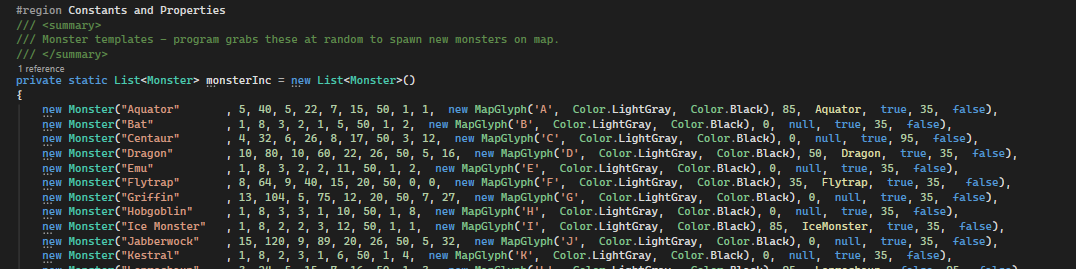
I also realized the probabilities for monster special attacks like those from the Ice Monster and Aquator, were far too low. I’d set them to a default of 35 but all of them should be at least 50 and some, like the Leprechaun, should be 95 so they happen almost immediately.
Finally, the distribution of inventory also contributes to the difficulty. At one point in the playthrough, I ended up with three scrolls of Raise Level which was kind of ridiculous. An item like that just shouldn’t be showing up that often so some adjustments were needed to the probability property of the different types.
Some of the monsters have special attacks. The Aquator, for example, specifically attacks and degrades the player’s armor and the Leprechaun steals a quarter of the player’s gold and disappears to another part of the map. These didn’t seem to be happening like they should. In the Aquator’s case, I remembered that I’d used a scroll of armor protection which might explain it but the Leprechauns didn’t seem greedy enough. They’re also supposed to drop gold when defeated and that wasn’t happening.
Bug fixes
Overall, the game’s looking good at this point, although there were a bunch of bugs and little annoyances to fix.
As I said earlier, the monster special attacks weren’t happening enough so I adjusted the AppearancePct property in the list of monster templates. That seemed to clear things up somewhat.
The Armor reading in the player stats shouldn’t go below 0 although it was going from 1 to -2 at one point. The Armor reading is actually the result of the Player.TotalProtection() function which includes the armor, it’s increment and any rings of protection.
For some reason, I created a second function called TotalArmor() that worked slightly differently and was being used by the Aquator’s special attack. I switched that to the TotalProtection() function and made sure it was coded to return a minimum of 0.
Then I realized I should have been using the Inventory.IsProtected property in the Aquator() function, anyway.
The Leprecauns in this dungeon were really cheap. They’re supposed to give up their gold when you defeat them and they weren’t coughing up the coins. How’s a rogue supposed to make a living?
At first, I changed the Attack() function so that monsters would give up any gold and inventory they had on defeat but it turned out most didn’t have any to begin with. The economy here is worse than I thought. So I thought that I would just create gold as needed but then I realized there was no way to ensure that Leprechauns dropped more gold than the average stash as they’re supposed to do. The game decides how much is in a stash when the player picks it up by picking a random value between min and max values declared in constants.
I removed the Inventory class’s Amount property a little while ago so I decided to use the Increment property instead and assign it to every gold stash as it’s placed on the map. This required some adjustments.
- Inventory.GetInventoryItem() calls the InventoryVariation() method for every item that’s created so that gets a new section to ensure that every gold stash is properly created.
case InvCategory.Gold:
    if (item.Increment < MIN_GOLD_AMT)
        item.Increment = rand.Next(MIN_GOLD_AMT, MAX_GOLD_AMT + 1);

break;- That didn’t allow the Attack() function to specify an increased amount so GetInventoryItem() gets an extra argument to allow the Increment to be set. Most references to it can just pass 1.
public Inventory? GetInventoryItem(Inventory.InvTemplateID Item, int Increment)
{
    Inventory? retInv = null;

    List<Inventory> retList = (from Inventory item in InventoryItems
                where item.PriorityId == Item
                select item).ToList();

    // Clone a new object from template and make some adjustments.
    if (retList.Count > 0) {
        retInv = new Inventory(retList[0]);
        retInv.Increment = Increment;
        InventoryVariation(retInv);
    }

    return retInv;
}- Then, in Attack() …
if (Defender.Gold > 0)
    CurrentMap.AddInventory(GameInventory.GetInventoryItem(InvTemplateID.Gold, Defender.Gold)!,
Defender.Location!, true);- Finally, in the AddMonster() method that creates the monsters…
if (spawned.CharacterName == "Leprechaun")
    spawned.Gold = (int)(rand.Next(MIN_GOLD_AMT, MAX_GOLD_AMT) * 1.5);
The player’s hit points were regenerating a little fast for my expectations so I decided to slow it down a little. The HealingFactor() function in the Player class returns a tuple with the number of hit points to increase for each number of turns, e.g. (1,11) for experience level 5 or 1 HP returned for every 11 turns. At exp. level 9, it’s 1 HP for every three turns and, after that, it’s the exp. level – 7 for every 5 turns. That seems to be challenging enough for now.
The game has bow weapons that are supposed to increase the accuracy when the player throws ammunition and I realized I hadn’t programmed this in yet. At first, I came up with an IsShooting() function for the Player class to determine if one of the bows was being wielded.
public bool IsShooting()
{
    bool retValue = false;
    List<InvTemplateID> bows = [InvTemplateID.Crossbow, InvTemplateID.ShortBow];

    retValue = (this.Wielding != null && bows.Contains(this.Wielding.PriorityId));

    return retValue;
}
Then, when I was working this into the Character.Accuracy() function, I realized that I could just use the weapons’ AccIncrement property instead.
bool wielding = attack.Wielding != null;

hitChance = 40 + (5 * attack.ExperienceLevel()) - (5 * defend.ArmorClass)
    + (wielding ? (5 * attack.Wielding!.AccIncrement) : 0);
This means I can just give the crossbow and short bow higher accuracy increments and let the code do the rest. Of course, it also means that if the player is wielding a crossbow and throws a potion, the potion gains more accuracy but I suppose I can live with that.
Also, damage potential is calculated in the Attack() routine based on the player and the actual wielded item, before any thrown items are taken into account.
(int Min, int Max) damagePotential = Attacker.DamagePotential();
Inventory? weapon = (Item == null ? CurrentPlayer.Wielding : Item);
If the player is throwing an object, the Attack() routine then treats that as the weapon from that point on and determines if it has a delegate function. So, if specific ammunition needs to deal out more damage, a delegate function could always be added to do that.
The bug that stung the worst, though, was this …
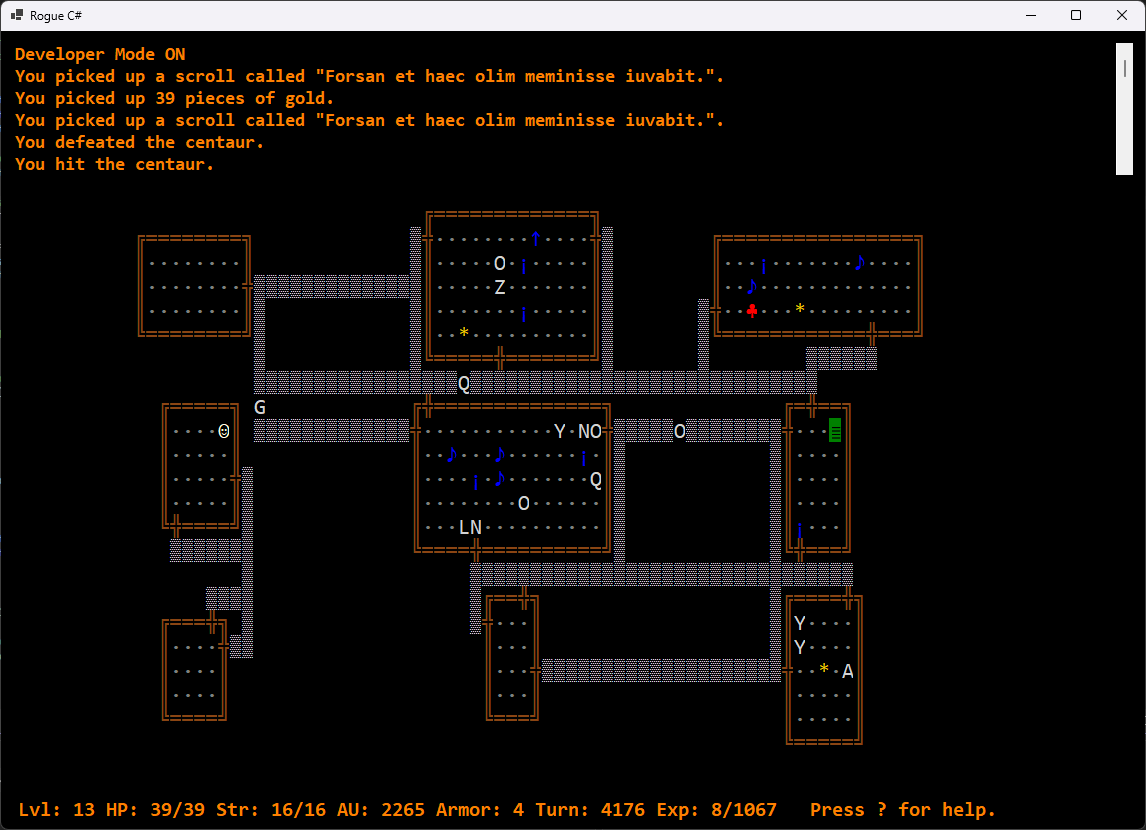
I’ve been through hundreds, maybe over a thousand, of these maps so far. I’ve literally sat here pressing CTRL-N (press CTRL-D first to get into Developer mode) to go through one map after another looking for a faulty map and now, one comes up with an isolated section. This afternoon, I went through another thousand maps and didn’t see it again.
So, the mapping algorithm is evidently pretty stable but not foolproof. There is a distant possibility that a bad map could get through but it’s less than 0.1% from what I can see. For now, CTRL-D and CTRL-N will let you continue a game if it does happen. Still, as I was cycling through all those maps, I was thinking of some fixes because it bugs me.
I could have the MapLevel.HallwayGeneration() method simply draw horizontal or vertical hallways between the rooms and then connect the rooms to them but the hallways would be more predictable and less interesting.
The other option is to have HallwayGeneration() select rows or columns between the rooms at the start, generate the hallways as it’s doing now and then fill in any spaces in the selected row / column that haven’t already been filled with a hallway space.
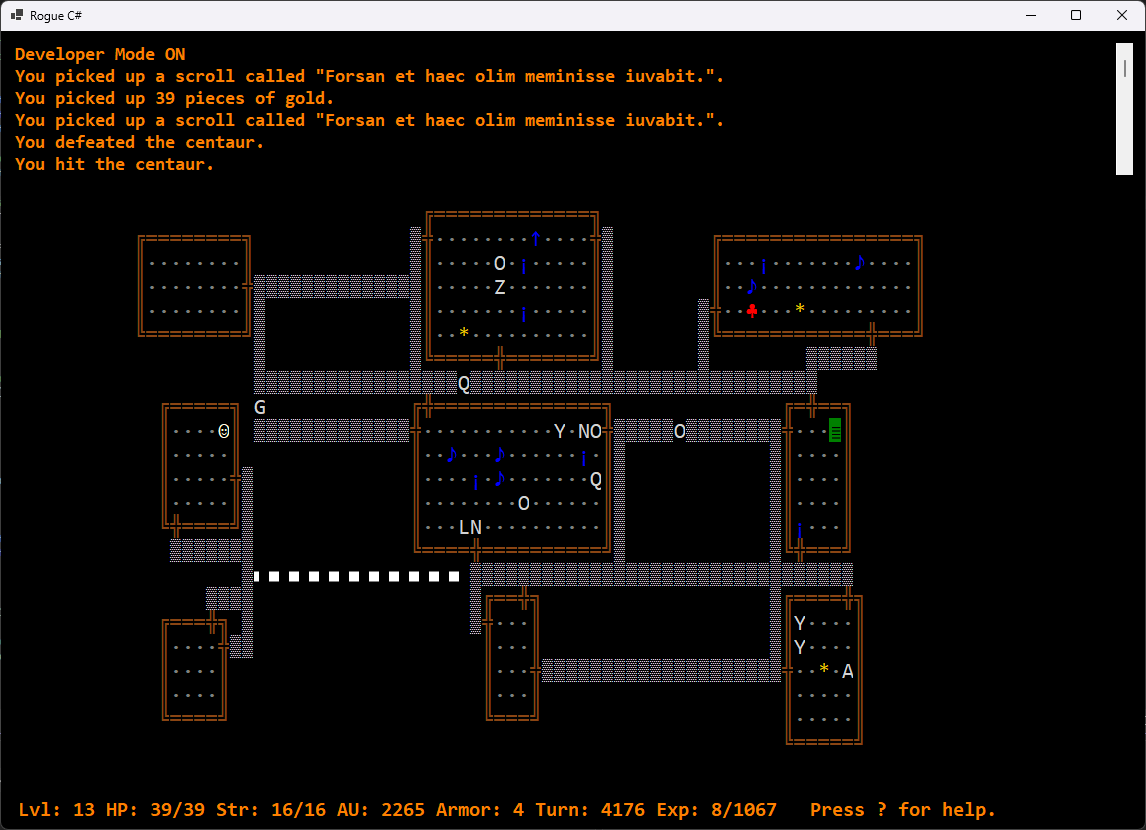
It’s definitely on the list of issues and something I’ll be keeping an eye on. If you’re playing with the code and see any issues like this, you’re welcome to contact me with the details.
Additional fixes:
- Armor is now identified when first worn so that the class and increments show in the description.
- Nymphs will now use their special attack 95% of the time. Keep your distance.
- There was a bug where the player could drop the armor being worn and it would still show as being worn. The game now requires the player to remove it first.
- The Potion of Magic Detection shows any items with True for IsProtected or IsCursed. This can include gold because of the InventoryVariation() routine. I’m not sure how I want this potion to actually work but I’ll leave it that way for now.
- Levitation of either the attacker or defender now reduces the chance of a hit by half. This was an easy change to the Character.Accuracy() routine.