In this chapter … I refactor the code to eliminate an out-of-control CASE statement by using the Dictionary<T> and Record types in C# with Action delegates to create a collection of commands the code can reference for carrying out user commands and generating the help menu. Read more of the Rogue C# series here.
I started to do another flowchart this week for the process of handling keys presses in the game but just stopped when I came to this.
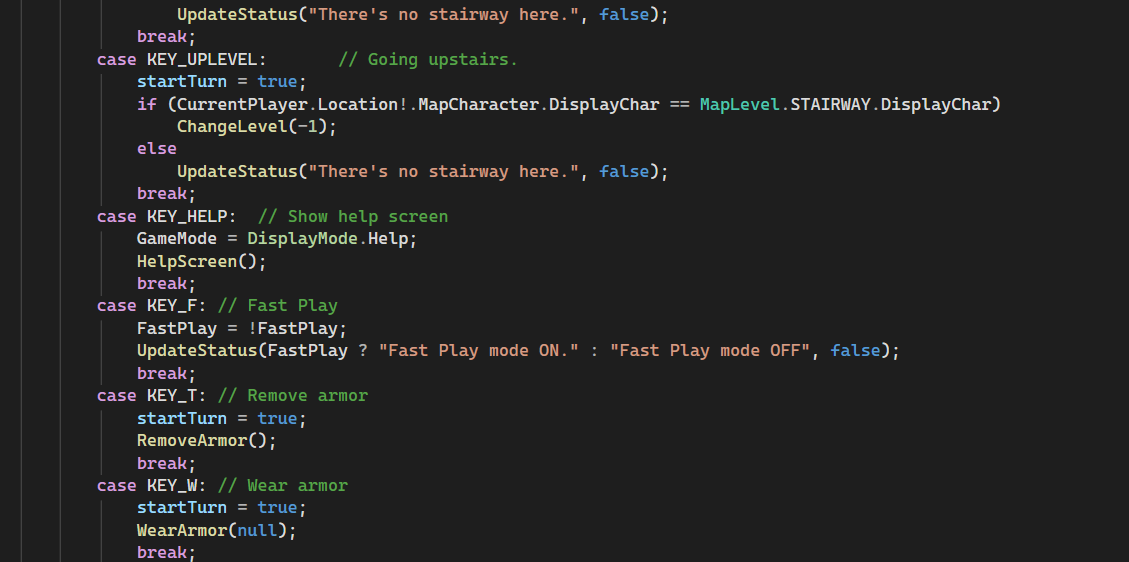
That’s part of one of the growing rat’s nest of Case statements in the Game.KeyHandler routine that handles all the key commands from the user. As they say, “It seemed like a fantastic idea at the time.”. The original Rogue assigned commands to single key presses that the user had to learn and there were a lot of them. Fortunately, there was a help screen. The number of commands available in this version is growing and this method is getting out of hand.
Okay, it works fine but it’s ugly, it will only get harder to support as I add more commands and there are a lot of potential commands in this game. So, I started looking at ways to refactor this that would at least be a little easier to look at and went back to the Action<> and Func<> delegates which store calls to methods that the program can route to when necessary. I think I previously avoided them because they require calls to static functions when being used across classes but these key options all make calls within the Game class so it shouldn’t be a problem.
This post is part of a series on creating a roguelike game in C#. For the latest chapters and more information, please visit the Official Project Page on AndrewComeau.com. The current code for this project is also available on Github.
Don’t miss the next chapter! Subscribe for free on Substack to be notified when new chapters are posted.
The C# Record Type
The Record type was added to C# in version 9.0 and provides a way to encapsulate a collection of data while still allowing for equality operations between different instances of the type, unlike a standard class object. A Record can be declared either as a class object or a struct value type.
I decided to create a Dictionary of available key commands at the Game class level. The dictionary key is a Record containing the key pressed and boolean values for the Ctrl and Shift keys. The dictionary value is the procedure to route the program to when the key is pressed.
/// <summary>
/// Record field to store KeyPress and CTRL / SHIFT options.
/// </summary>
private record struct recKeyChord(int KeyPressed, bool Ctrl, bool Shift);
/// <summary>
/// Searchable dictionary field to hold possible key presses in game.
/// </summary>
private Dictionary<recKeyChord, Action> KeyActions;
I created a new method in the class called InitializeCommands() which will instantiate the Dictionary and add the necessary entries for each command.
The local startTurn variable, which indicates that an action begins a player turn to which monsters can respond, needs to be moved to class level and made private since it’s now going to be set from outside the KeyHandler() method.
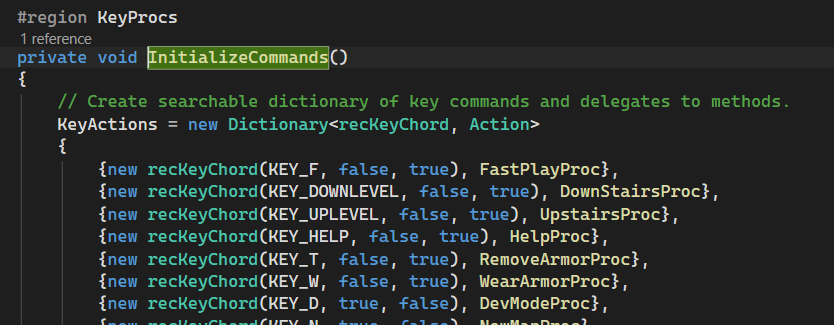
The commands previously held in the KeyHandler() method are simply moved to the methods named in the dictionary. This keeps each function distinct and prevents the editing of one from accidentally interfering with the other through any fat-fingering on my part.
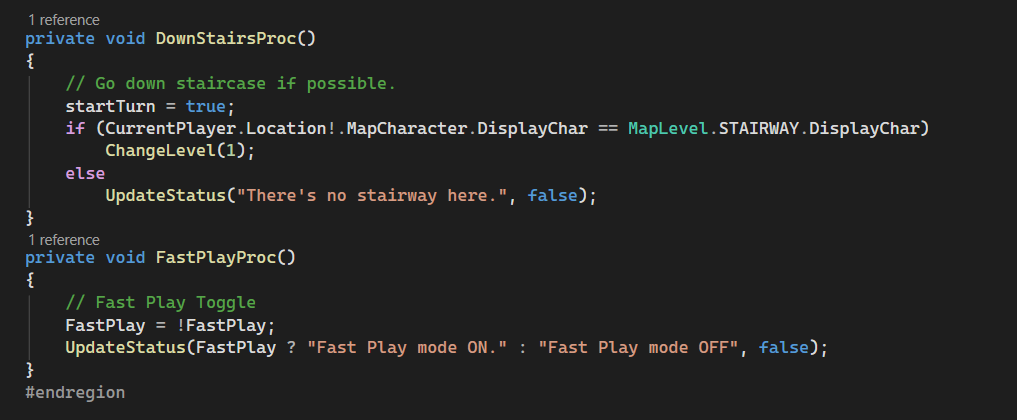
This also provides a more modular design where new commands can be added to the dictionary and then a new method can be added, if necessary. In a couple of instances, the dictionary entry is simply pointing to an already existing command.
The KeyHandler() method becomes much simpler:
        public void KeyHandler(int KeyVal, bool Shift, bool Control)
        {
            // Process whatever key is sent by the form.

            Action? method;
            char lowerCase = char.ToLower((char)KeyVal);

            if (KeyVal == KEY_ESC)
            {
                ReturnFunction = null;
                RestoreMap();
            }

            switch (GameMode)
            {
                case DisplayMode.Inventory:
                    // For letters, call the current return function.
                    if (lowerCase >= 'a' && lowerCase <= 'z')
                    {
                        if (ReturnFunction != null)
                            ReturnFunction(lowerCase);
                    }
                    keyHandled = true;
                    break;
                case DisplayMode.GameOver:
                    RIPScreen();
                    break;
                default:
                    break;
            }

            // Shift, Ctrl and Basic combinations
            if (GameMode == DisplayMode.Primary)
            {
                if (KeyActions.TryGetValue(new recKeyChord(KeyVal, Control, Shift),
                  out method))
                    method.Invoke();

                keyHandled = true;
            }

            // Complete turn if one was started.
            if (startTurn) CompleteTurn();

            // Display the appropriate map mode.
            if (GameMode == DisplayMode.Primary)
                if (DevMode)
                    { this.CurrentMap.MapCheck(); }
                else
                    { this.CurrentMap.MapText(); }

        }
The KeyActions.TryGetValue() dictionary function returns a boolean and uses an out variable to return the method if it finds one in the dictionary for the specified key. The method can then simply be invoked if it’s there; if the user presses the wrong key and there’s no method for it, nothing happens. There are still a few cases that need to be handled manually through this method but the majority of commands can go through the new dictionary.
Of course, this makes no difference in the visible function of the game which means it’s working just as it should. This is a change under the hood that will make the game more maintainable going forward.
Automating the Help Screen
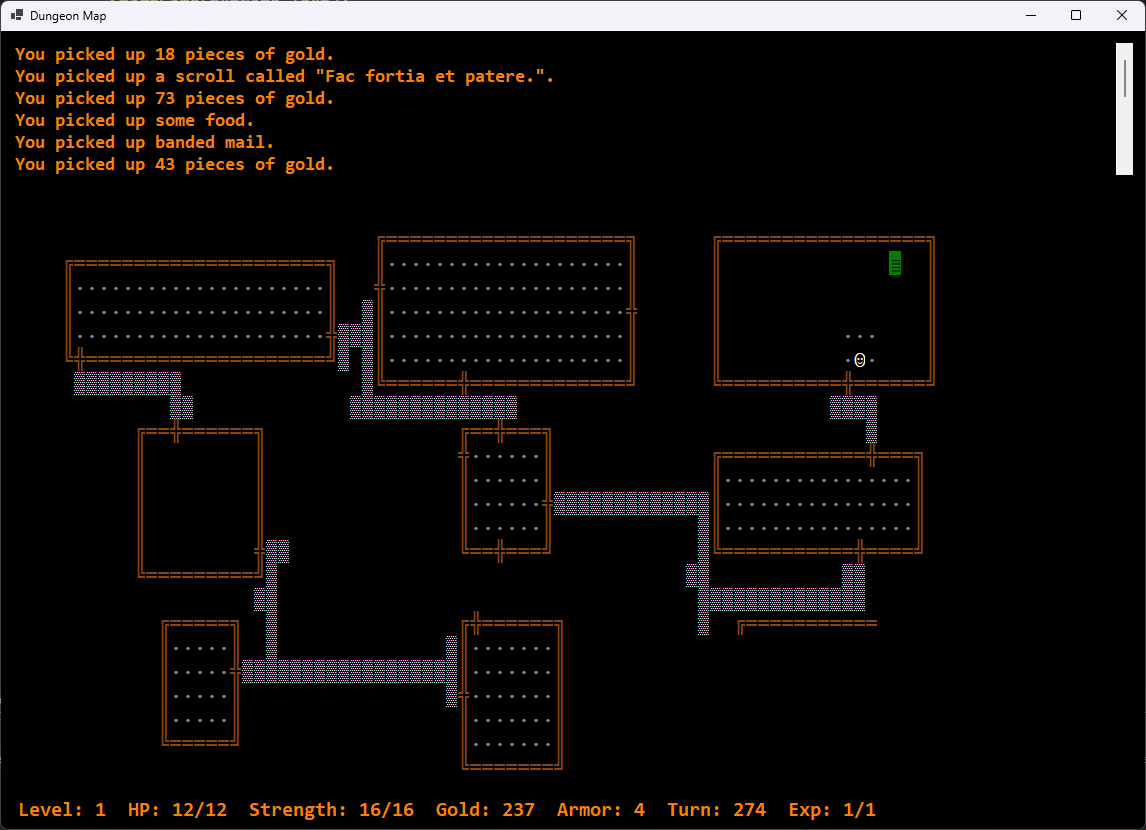
After getting this working, I thought about the game help screen that shows the list of available commands. There had to be a way to automate the addition of commands to the screen so I wouldn’t have to remember to add each one. The HelpScreen() method was really just a manual concatenation of the commands.
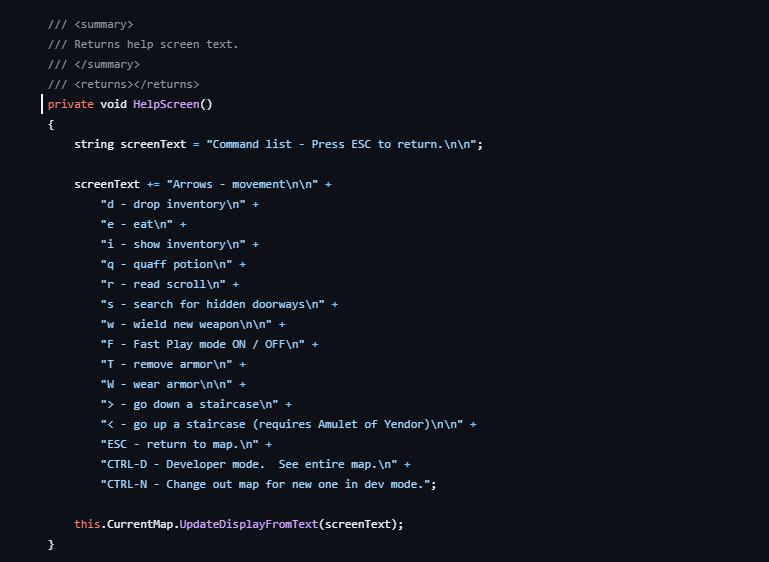
The first step was to find somewhere to store the descriptions so the program could retrieve them. I thought about adding a description tag to each of the methods and using Reflection to grab it using the dictionary reference to the method.
[Description("Fast Play mode ON / OFF")]This would work but it distributes the descriptions across the code and I’d still have to remember to add the tag to any new command method. The chances of me forgetting were pretty high. I decided it was better to add the descriptions to the dictionary itself. So, the KeyActions declaration changes to use a Tuple to store the Action reference and a description.
private Dictionary<recKeyChord, (Action method, string desc)> KeyActions;This means that our collection of entries needs to change as well to include the descriptions.
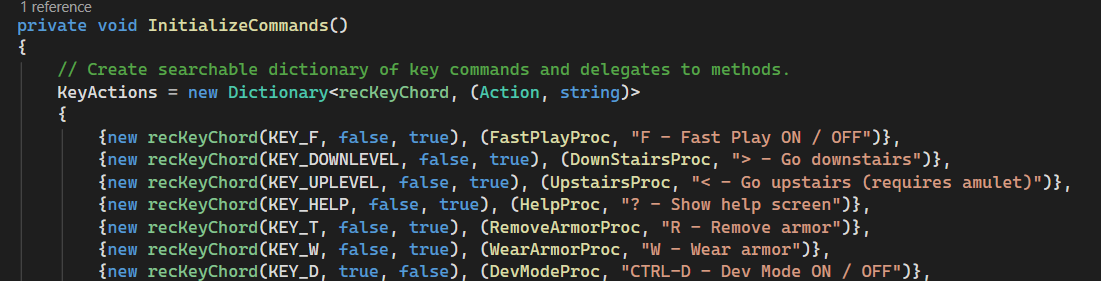
Of course, the KeyHandler() reference to the dictionary that gets the method also has to change.
if (KeyActions.TryGetValue(new recKeyChord(KeyVal, Control, Shift), out var taskInfo))
    taskInfo.method.Invoke();
Finally, there’s the actual HelpScreen() method which gets a lot simpler.
private void HelpScreen()
{
    string screenText = "Command list - Press ESC to return.\n\n";
    bool firstColumn = true;

    foreach (var (keyChord, (method, desc)) in KeyActions)
    {
        if(firstColumn)
           screenText += desc + new string(' ', 40 - desc.Length);
        else
           screenText += desc + "\n";

        firstColumn = !firstColumn;
    }

    this.CurrentMap.UpdateDisplayFromText(screenText);
}
There are quite a few possible commands in the game so I decided to move everything into a two column format by starting every other command at column 40. I’ll have to be careful to keep those descriptions brief.
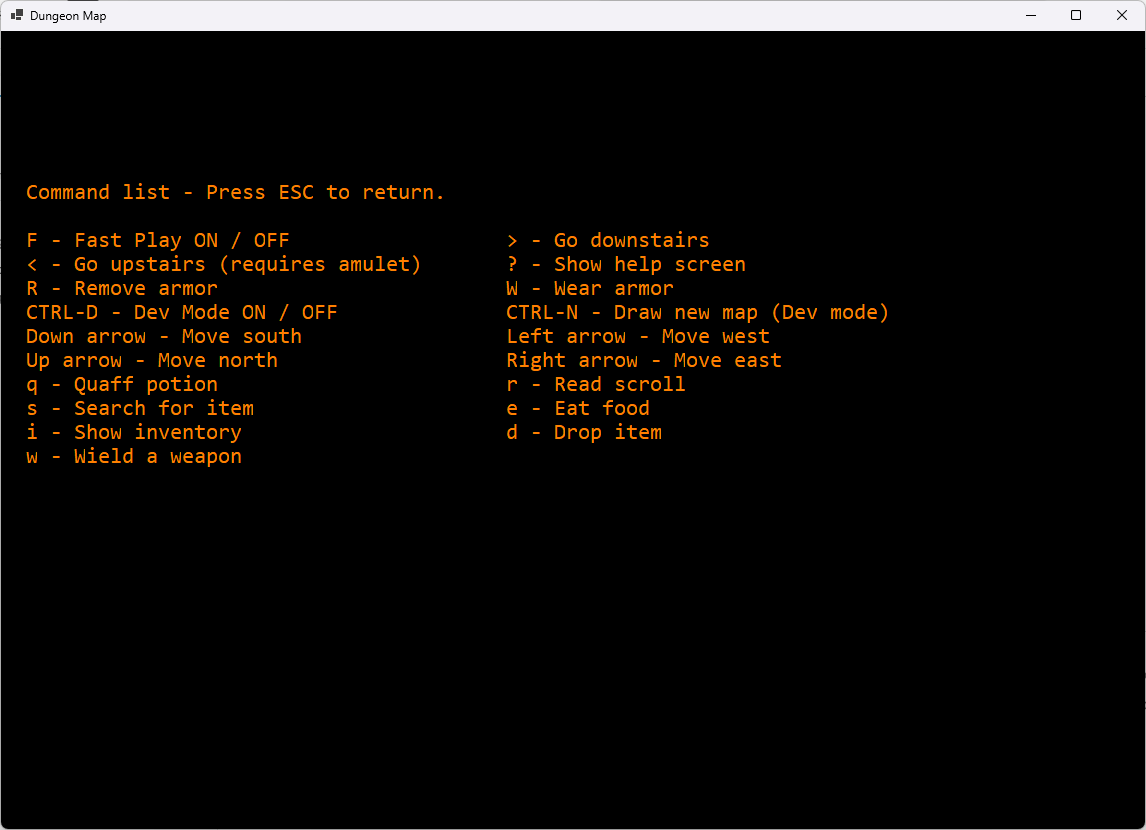
The commands are in the same order as they’re presented in the dictionary so, if I want to arrange them in a more presentable order, I guess I’ll just re-order the dictionary for now. I don’t really feel like adding another property to its definition just for sorting.
The only other issue is that the number of commands is probably going to exceed the space on one screen. The original game had the user pressing the spacebar to continue the display on another screen and that might be simple enough to rig based on the length of the text to be displayed or I could just reduce the size of the text. We’ll see.