In this chapter … I re-examine random selection within the program and implement a new weighted selection algorithm. I also implement the Potion of Hallucination, figure out how to weaponize scrolls in combat and rediscover how important it is to remember the difference between equality and assignment operators in LINQ. Read more of the Rogue C# series here.
After adding all those potions in one shot, they still had to be tested and every single one exposed something that needed to be improved in the code. The sheer number of fixes would be too long for this post but I did come up with a few interesting examples.
This post is part of a series on creating a roguelike game in C#. For the latest chapters and more information, please visit the Official Project Page on AndrewComeau.com. The current code for this project is also available on Github.
Don’t miss the next chapter! Subscribe for free on Substack to be notified when new chapters are posted.
Is it really random?
As the list of inventory items continued to grow and I settled in to test all the new potions this week, I took another look at how the items were being randomly selected for addition to the map. First, we have the following snippet from the MapLevel.AddInventory() method which map generation was using.
do
    invItem = GameInventory.GetInventoryItem(itemSpace);
while (invItem != null
        && rand.Next(1, 101) >= invItem.AppearancePct);
That comparison between the random number and AppearancePct (which I renamed to Probability) which was supposed to determine frequency of appearance, is reversed from what it should be. From what I’ve been able to see in the Github repository, the change happened on July 21 as part of a larger change to the method. I didn’t actually notice it until I went to test specific items, set the Probability to 85 for the one I wanted to test and it wasn’t showing up like I expected.
AddInventory() was calling Inventory.GetInventory which simply retreived all inventory types except for Gold and the Amulet and then chose a random item to return.
public Inventory GetInventoryItem(MapSpace Location)
{
    Inventory returnVal;

    // Clone a new object from template.  Exclude gold and amulet.
    List<Inventory> invSelect = (from Inventory item in InventoryItems
                                 where item.ItemCategory != InvCategory.Gold
                                 && item.ItemCategory != InvCategory.Amulet
                                 select item).ToList();

    returnVal = new Inventory(invSelect[rand.Next(invSelect.Count)]);
    returnVal.Location = Location;

    return returnVal;
}
To put it simply, none of this really worked for random selection or targeted testing and the ApperancePct which was set from 1 to 100 wasn’t doing anything. I needed a better way.
How random is Random?
I decided to go back to basics and actually look at the Random.Next() function I’m using throughout the code. I wrote a short program to output a specific number of random values between 1 and 100 to a CSV file that I could chart in Excel.
static void Main(string[] args)
{
    Random rand = new Random();
    StreamWriter fileWrite = new StreamWriter("c:\\data\\numbers2.csv", false);
    for (int i = 0; i <= 100000; i++)
    {
        fileWrite.WriteLine(rand.Next(1, 101));
    }

    fileWrite.Close();
}
Excel can’t actually chart 100,000 values but it took care of lower quantities pretty well.
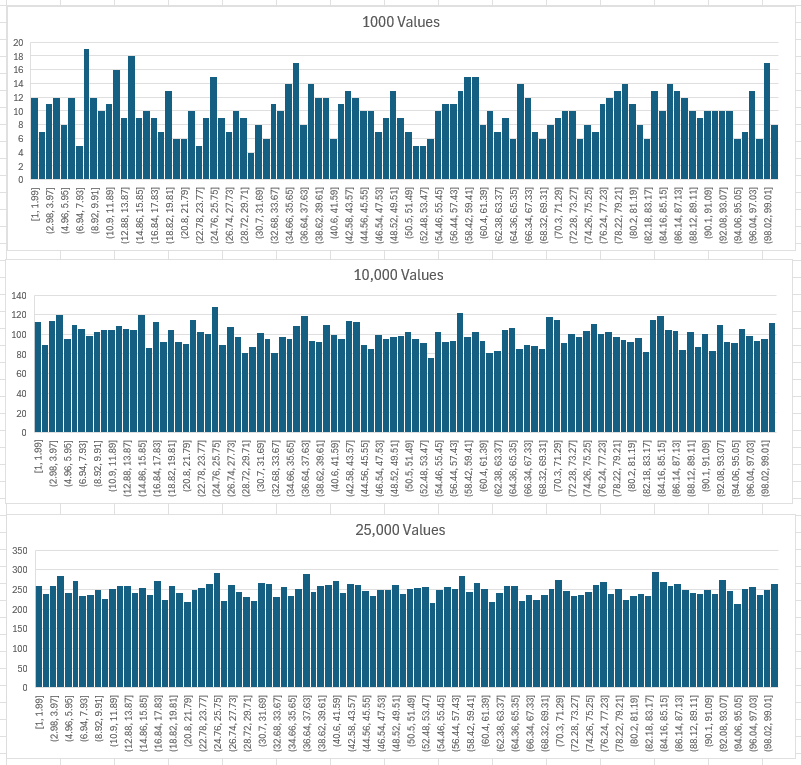
So, the distribution of random numbers actually evens out as more values are generated. This was a relief, but I still needed a better way to set the probability of each item because some items really are supposed to show up more than others.
I’m not an expert in statistics and probability but I do generally know when to ask for help and this seemed like a good use case for an A.I. consult so I turned to Google Gemini.
“In C#, I have a list of Inventory objects from which my game selects randomly. Each object has an integer Probability property. I want that property to govern how often the item is selected.“
Gemini replied –
“To select an item weighted by its probability, use a weighted random selection algorithm (often called “Roulette Wheel selection”).
“Sum the total probability weights, pick a random number between
0andtotalWeight - 1, and iterate through the list until the cumulative weight exceeds the random roll.”
This is actually a slight variation on the Roulette Wheel Selection, probably since I already have the probabilities for each item entered. That seemed simple enough. It provided some example code which I considered before coming up with the following.
public Inventory? GetInventoryItem(MapSpace Location)
{
    Inventory? returnVal = null;
    int probabilityTotal;

    // Clone a new object from template. Exclude gold and amulet.
    List<Inventory> invSelect = (from Inventory item in InventoryItems
                                 where item.ItemCategory != InvCategory.Gold
                                 && item.ItemCategory != InvCategory.Amulet
                                 select item)
                                 .OrderBy(x => Random.Shared.Next()).ToList();

    // Get a sum of the probability weights and a random number within that limit.
    probabilityTotal = rand.Next(invSelect.Sum(item => item.Probability));

    // Iterate through the list, subtracting weights from
    // the random number until we get to 0. Return that item.
    foreach(Inventory item in invSelect)
    {
        probabilityTotal -= item.Probability;

        if (probabilityTotal < 0)
        {
            returnVal = new Inventory(item);
            returnVal.Location = Location;
            break;
        }
    }

    return returnVal;
}
Now, the AddInventory() method simply has to test for null.
do
    invItem = GameInventory.GetInventoryItem(itemSpace)!;
while (invItem == null);
This actually removes the upper limit of 100 from the probability and makes the system open-ended. So, if I really want an inventory item to show up, I can set the Probability to something like 1000.

Equality vs Assignment
Operators matter. I’ve worked a lot in languages like VBA where the = functioned is both equality and assignment so I make this mistake a lot in C# when I mean to use ==.
public void ClearRemoteSpaces()
{
    List<MapSpace> remotes = (from MapSpace space in levelMap
                              where space.RemoteSight = true
                              select space).ToList();

    remotes = remotes.Where(space => !InhabitableSpacesGlyphList.Contains(PriorityChar(space, false).DisplayChar)).ToList();

    remotes.ForEach(remote => { remote.RemoteSight = false; });
}
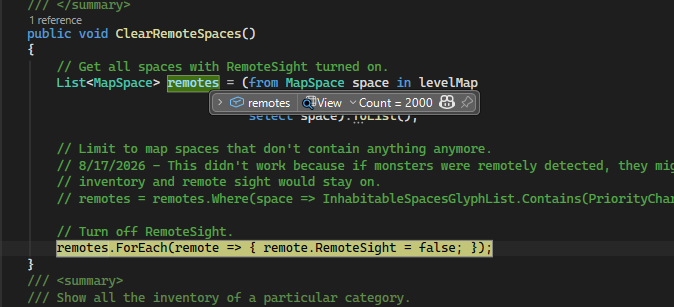
The scary thing is that this didn’t throw a compile error like it does most times. That’s because, most times, I’m testing for equality to evaluate a boolean condition. In this case, the LINQ statement simply sets all the items to true and returns the list. Then, the ForEach statement set them all to false. I was wondering why my scrolls of food and gold detection weren’t working.
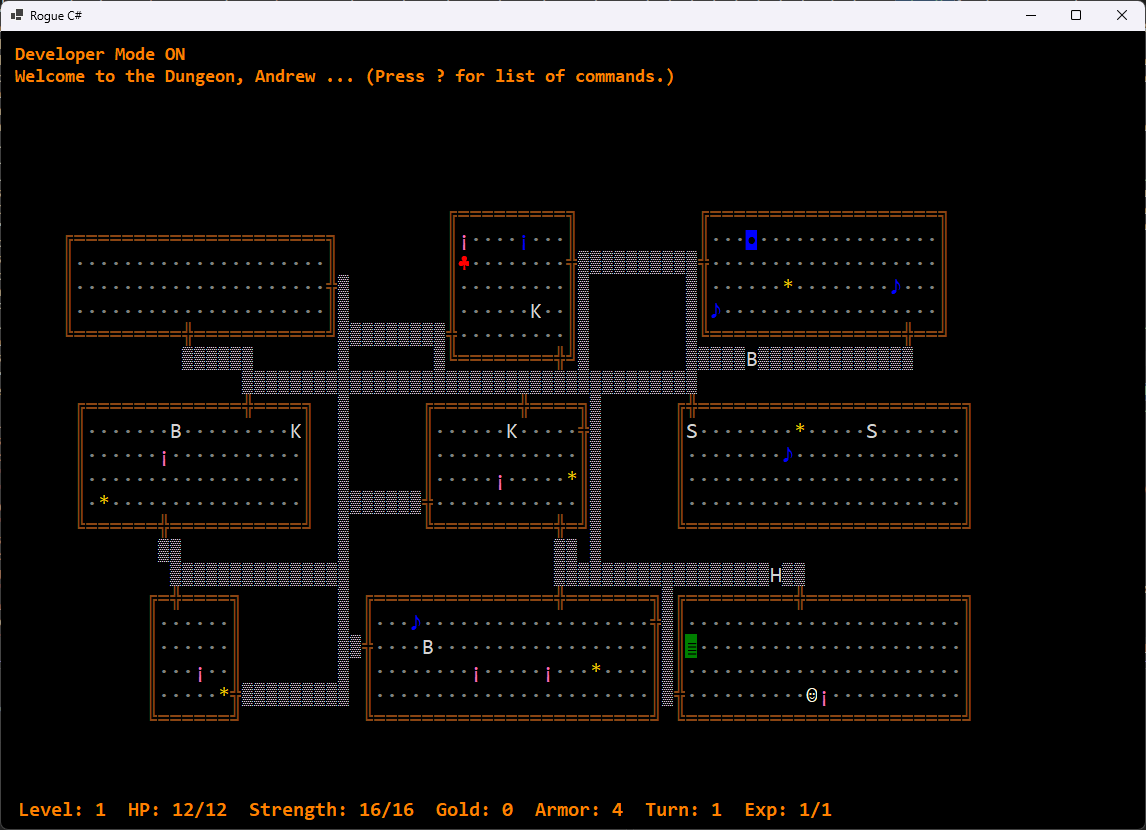
“Wait a few turns and you won’t see it anymore.”
Implementing the Potion of Hallucination was a special challenge. I’ve never actually seen it in the game but the sources said it continuously changes the appearance of objects on the map.
My first approach was to create an AllChars() function in the MapLevel class that would return a list of most of the MapGlyph objects used in the game and an OccupiedSpaces() function that would list the map spaces actually holding something.
/// <summary>
/// Returns a general list of characters from game to be used for hallucinations or other random purposes.
/// </summary>
/// <returns></returns>
public List<MapGlyph> AllChars()
{
    // Start with list of inventory MapGlyphs
    List<MapGlyph> retList =
        (from Inventory inv in GameInventory.InventoryItems
         select inv.DisplayCharacter).Distinct().ToList();
    // Add list of monster MapGlyphs
    retList.AddRange(
        from Monster monster in Monster.Monsters
        select monster.DisplayCharacter);
    // Add some room interior items.
    retList.AddRange(AMULET, GOLD, STAIRWAY, TRAP, ROOM_INT);

    return retList;
}
/// <summary>
/// Get list of spaces currently holding monsters and inventory.
/// </summary>
/// <returns></returns>
public List<MapSpace> OccupiedSpaces()
{
    List<MapSpace> retList =
        (from Inventory inv in MapInventory
         select inv.Location).ToList();
    retList.AddRange
        (from Monster monster in ActiveMonsters
         select monster.Location);

    return retList;
}
Then, the MapText() method, which translates the map array to the screen the player will actually see, gets some new code to run if the player is hallucinating.
else if (CurrentPlayer.Hallucinating > 0)
{
    // If the player is hallucinating, substitute random character
    // for anything in the AllChars list.
    if (CurrentPlayer.Location != levelMap[x, y])
    {
        if (OccupiedSpaces().Contains(levelMap[x, y]))
            appendChar = AllChars()[rand.Next(AllChars().Count - 1)];
    }
    else
        appendChar = priorityChar;
}
else
    appendChar = (surroundingSpaces.Contains(levelMap[x, y])) ? priorityChar : null;
The original run was entertaining but not quite what I was looking for.
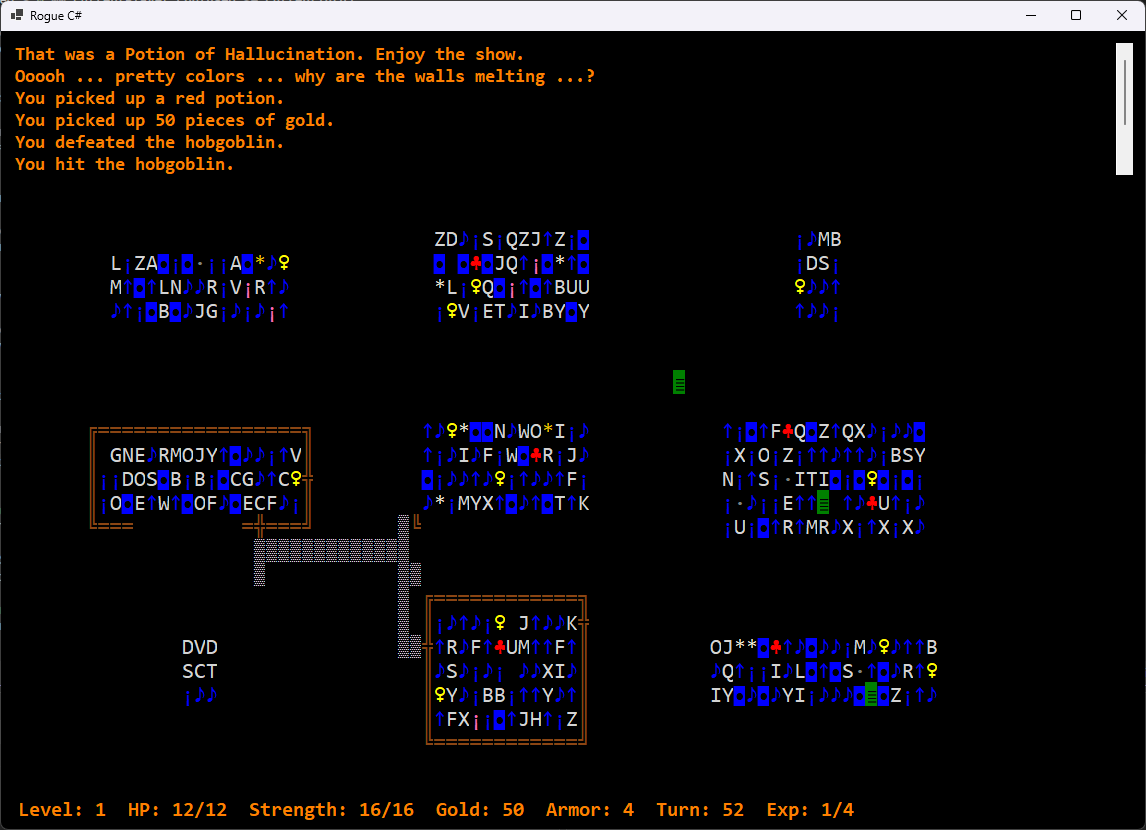
After I limited the effect to the occupied spaces and fiddled with the code a bit, it came out much more manageable. See the video for a demonstration.
What makes a weapon?
In the original Rogue game, potions could be wielded as weapons and a good potion of paralysis could get you out of a scrape. In a previous chapter, I introduced the new Character class which the Player and Monster classes now inherit from. The potion (and scroll) delegate methods accept a Character object which can be easily inspected.
private void PotionOfBlindness(Character character)
{
    if (character is Player)
    {
        character.Blind = CurrentTurn + 250;
        UpdateStatus("You can't see.", false);
    }
    else
    {
        character.Confused = CurrentTurn + 250;
        UpdateStatus("The monster looks very disoriented.", false);
    }
}
Of course, monsters don’t share all properties with the Player object so, sometimes the potion effects have to get creative.
I also needed to change the Game.Wield() method which was limiting the weapons by Inventory category.
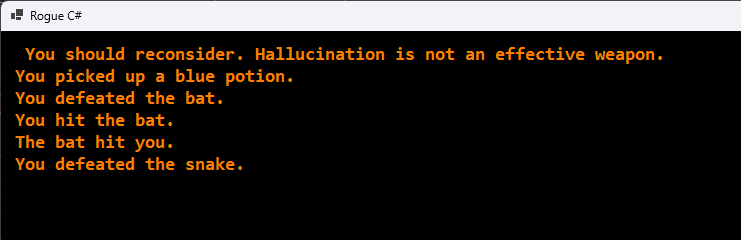
Then I remembered the Inventory class had a Wieldable property which lets me define individual items as weapons or not. Since scroll methods also accept a Character object, I decided there was no reason why scrolls couldn’t be weaponized, too.
// Verify the player has something they can wield.
items = (from inv in CurrentPlayer.CharacterInventory
         where inv.IsWieldable
         select inv).ToList();
As the above screenshot shows, this exposed a bug that allowed the user to pick up a potion and then identify it by wielding it, even without a Scroll of Identify. The notifications needed to be changed and I took the opportunity to add a little personality, too.
// Call the appropriate delegate and remove the item
// from inventory.
if (!items[0].IsWieldable)
{
    if (items[0].ItemCategory == InvCategory.Food)
        if (rand.Next(1, 101) < COIN_FLIP)
            UpdateStatus(" Dungeon food is only dangerous to you. Try something else.", false);
        else
            UpdateStatus(" What is this ... a food fight? Try something else.", false);
    else if (items[0].ItemCategory == InvCategory.Gold)
            UpdateStatus(" Save your gold and use an actual weapon.", false);
    else
        UpdateStatus(" That's not an effective weapon. Pick something else.", false);
    retValue = false;
}
else
{
    CurrentPlayer.Wielding = items[0];
    UpdateStatus($"You are now wielding {GameInventory.ListingDescription(1, items[0])}.", false);

    retValue = true;
}
I don’t want to say a mango can never be an offensive weapon (especially if it’s not ripe) so I check to see if the item is actually classified as wieldable before chiding the player. I couldn’t decide which response I wanted to use so I used the COIN_FLIP constant to make things flexible. Finally, the announcement of the player’s choice pulls from the ListingDescription() function which powers the inventory listing so, if something is not identified yet, it will show the code name instead.
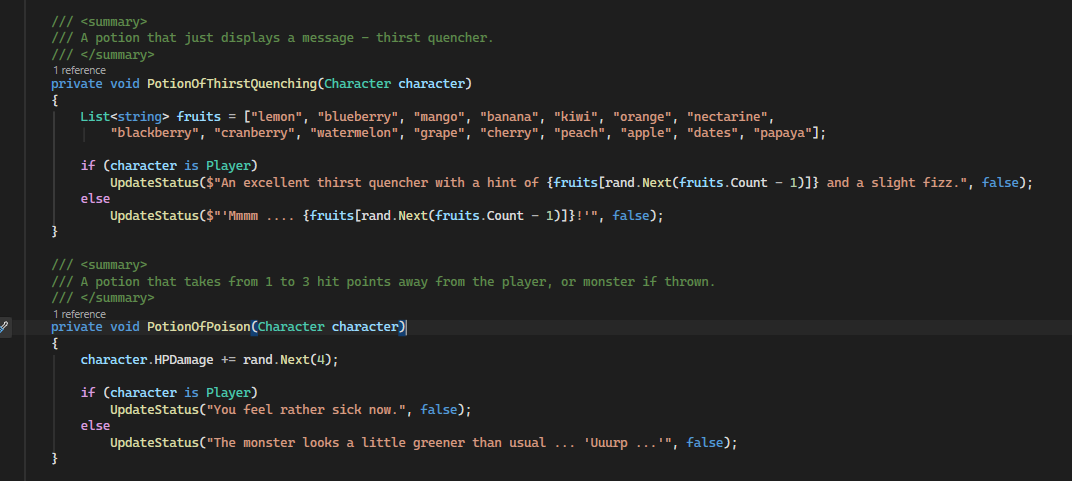
The testing on all these items did get a little tedious which only inspired me to throw in more personality as I went.
Now, I’m off to finish the traps.