In this chapter … I add traps to the game that can be triggered by both the player and monsters. In the process, I show an example of adding class inheritance and polymorphism to an existing project and another example of the Dictionary / Delegate model for handling the springing of the traps. Read more of the Rogue C# series here.
Traps are an essential, if annoying, part of the Rogue experience. One moment, you’re going along fine, avoiding monsters and collecting gold and the next moment, you’re stuck in a bear trap or have an arrow sticking out of you. Functionally, traps are a mix between the map features and magic inventory we’ve seen in previous chapters. Now I just have to figure out how to add them to the game. In the process of doing that, I saw an opportunity to use inheritance in C# to streamline the code a little more.
This post is part of a series on creating a roguelike game in C#. For the latest chapters and more information, please visit the Official Project Page on AndrewComeau.com. The current code for this project is also available on Github.
Don’t miss the next chapter! Subscribe for free on Substack to be notified when new chapters are posted.
Finding the Common DNA
When I first designed the game, I actually did see that there were a few common properties between the Player and Monster classes but I wanted to keep them independent because there were enough differences that I wanted to keep things flexible for the time being.
As I was working out how to add traps and their effects to the game, I realized that I needed functions that would accept either a Player or a Monster object and react accordingly. I’m not keeping two different versions of the function. I’ve also been thinking that this will come up with potions which can be thrown at a monster as a weapon, hopefully smashing and imparting their effects, e.g. the potions of poison or blindness.
This is a great time to finally merge some of the common properties into a base class that both the Monster and Player classes can inherit from. This will allow for some polymorphic functions that will be able to accept the base class (i.e. Character), determine if it’s the player or a monster and react appropriately.
The two classes currently have the following in common:
- CurrentHP
- MaxHP
- HPDamage
- Gold
- Confused
- Immobile
- Blind
- PlayerInventory / MonsterInventory
- PlayerName / MonsterName
- Location
I started by doing a rename of the respective Inventory and Name classes to CharacterInventory and CharacterName so that all references would be updated. Then I created the Character class and had the Player and Monster classes inherit from it.
namespace RogueGame
{
    internal class Character
    {
    }
}

internal class Player : Character
{
...

internal class Monster : Character
{
...
The next step is to move the common properties from the Player and Monster classes to the new Character base class and let the other two inherit them.
    internal class Character
    {
        public int CurrentHP { get { return MaxHP - HPDamage; } }
        public int MaxHP { get; set; }
        public int HPDamage { get; set; } = 0;
        public int Gold { get; set; }
        public int Confused { get; set; } = 0;
        public int Immobile { get; set; } = 0;
        public int Blind { get; set; } = 0;
        public List<Inventory> CharacterInventory { get; set; }
        public string CharacterName { get; set; }
        public MapSpace? Location { get; set; }
    }
… and it works, so far. I also moved the two SearchInventory() overloads from the Player class to the Character class to make them available to both the player and monsters.
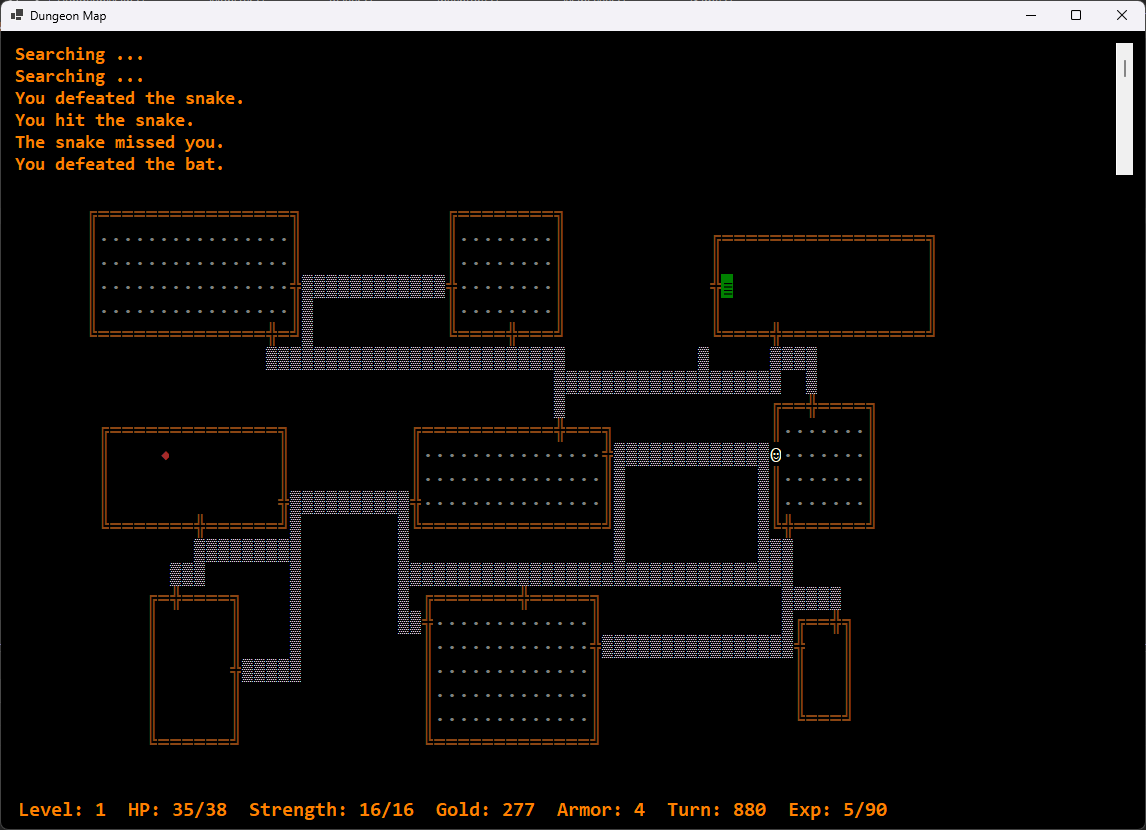
Now that it’s working, let’s take a look at traps.
The first step in avoiding a trap …
Traps were represented by an ASCII diamond symbol (◆) in the original game and the first step in this version is to add another constant to the MapLevel class to represent them on the map.
public static readonly MapGlyph TRAP = new MapGlyph('◆', Color.Brown, Color.Black);Sorry, “public static readonly property”, not constant. They were constants until I created the MapGlyph class to present them in color a little while ago and needed something I could actually assign a new object to.
Traps need to be hidden and searchable but the unwary rogue (or monster) needs to be able to step right onto them. Working my way down the MapLevel class, the next change is to add the new MapGlyph property to the correct lists. These lists are used by the game to decide how different spaces should behave. For now, I’ll add it to the following.
/// <summary>
/// List of characters that occur inside a room.
/// </summary>
private static List<char> RoomInteriorGlyphList = new List<char>(){ROOM_DOOR.DisplayChar, ROOM_INT.DisplayChar,
    STAIRWAY.DisplayChar, TRAP.DisplayChar };
/// <summary>
/// List of characters a player or monster can move onto.
/// </summary>
public static List<char> InhabitableSpacesGlyphList = new List<char>(){ROOM_INT.DisplayChar, STAIRWAY.DisplayChar,
    ROOM_DOOR.DisplayChar, HALLWAY.DisplayChar, TRAP.DisplayChar };
Not every level needs a trap although, during some of my playthroughs, they were annoyingly common. For now, I want about a 25% chance of a level having one so I’ll create another MapLevel class constant to govern that.
/// <summary>
/// Probability of a trap being placed on the level.
/// </summary>
private const int TRAP_PCT = 25;
Traps are map features so I’ll just keep things simple and add them during the MapGeneration() method right after the stairway is added, marking it as hidden and searchable. The alternate character is set as an ordinary room interior space which will allow the player to step right onto it.
// Possibly add trap
if(rand.Next(1, 101) <= TRAP_PCT)
{
    trap = GetOpenSpace(false);
    if (trap != null) {
        levelMap[trap.X, trap.Y] = new MapSpace(TRAP, true, true, trap.X, trap.Y);
        levelMap[trap.X, trap.Y].AltMapCharacter = ROOM_INT;
    }
}
The MapLevel class has a DiscoverMap() function that lights up the entire map and is called by the Magic Mapping scroll. It depends on MapDiscoveryGlyphList which basically lists all map features. I might as well add the TRAP character to it and let them be revealed by the scroll.
After that, the MapLevel.MapText() method makes the decisions about what to show the user and should handle these hidden traps just like it handles hidden doorways.
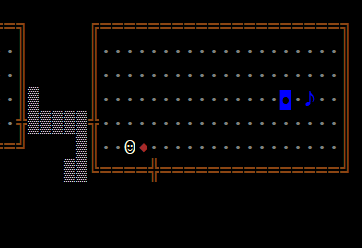
After I ran the program, I turned on Developer mode for a moment to find it and then went searching for it the hard way. Sure enough …
Devising some traps
Now that the trap is there and searchable, something needs to happen when the player or a monster steps on it. I just finished cleaning up MoveMonster(); now it looks like that method and MovePlayer() will need some extra code.
First, I’ll setup another Dictionary object in the Game class to hold the delegates that will implement the effects of the traps and the probabilities of each trap appearing. You’ll notice I did nothing to define which trap was being placed when I put them on the map. That decision is going to happen when the character steps on the trap itself.
At class level in the Game class:

/// <summary>
/// Searchable dictionary field to hold delegates for traps.
/// </summary>
private Dictionary<Action<Character>, int> Traps;
Then, in the Game.InitializeCommands() method after the key commands and inventory delegates are initialized, we get a new dictionary that holds the delegate commands for the traps. Each entry will hold an Action delegate that accepts a Character object as the key and the probability integer as the value.
// Trap delegates and probability of occurrence.
Traps = new Dictionary<Action<Character>, int>
{
    {TrapArrow, 100}
};


private void TrapArrow(Character character)
{
    Inventory? arrow = GameInventory.GetInventoryItem("arrow");
    MapSpace? landing;
    bool arrowHit = rand.Next(100) > COIN_FLIP;

    // If an arrow item was found in inventory and if it hit.
    if (arrow != null && arrowHit)
    {
        // Tell the player they've been it.
        if (character is Player)
            UpdateStatus("You were shot by an arrow!", false);

        // Register damage and destroy the arrow.
        character.HPDamage++;
        arrow = null;
    }
    else
    {
        // Find a place for the arrow to land.
        landing = CurrentMap.GetOpenSpace(false, CurrentMap
            .GetSurrounding(character.Location!.X, character.Location.Y, 2));

        // Add the arrow to the map.
        if(arrow != null && landing  != null)
            CurrentMap.AddInventory(arrow, landing, false);

        // Let the player know they dodged one.
        if (character is Player)
            UpdateStatus("An arrow goes whizzing by your head.", false);
    }
}
In the above code, the Dictionary for the trap delegate methods starts out with a single trap type, an arrow trap where the player has a 50% chance of being shot by an arrow. If the arrow misses, it lands on the map near the player. The delegate method can accept either a Player or a Monster object since both inherit from the Character class, creates an arrow Inventory object from the Inventory templates in case it has to be added to the map and then decides if the arrow is going to hit.
Both the Player and the Monster objects are able to take damage in the same way but only the Player needs to be notified through a status update so the delegate uses polymorphism to take that action specifically if it finds that it’s working with a Player object.
Springing the trap
Now, we need the player or monster to actually step on the trap and trigger it. In the MovePlayer() method, just after the surrounding spaces are shown –
// If the player has just stepped on a trap ...
if (adjacent[direct].MapCharacter.DisplayChar == MapLevel.TRAP.DisplayChar)
{
    // Trap has been found.
    adjacent[direct].SearchRequired = false;
    adjacent[direct].AltMapCharacter = null;

    // Randomly search trap delegates
    for(int i = 0; i < Traps.Count * 2; i++)
    {
        trapDelegate = Traps.ElementAt(rand.Next(0, Traps.Count));

        if (rand.Next(1, 101) < trapDelegate.Value) {
            trapDelegate.Key.Invoke(CurrentPlayer);
            break;
        }
    }
}
The player steps on the trap and the space’s properties are updated so the trap will now be visible once the player steps off of it. The code then pulls delegates from the Traps Dictionary until it finds one that passes the probability test, invokes it and then breaks out of the loop. If, by some chance, it doesn’t find one that meets the test, nothing happens. Since the same code will need to go into MoveMonster(), I’ll need to refactor this into its own method to be called as needed.
In MoveMonster():

// MOVE OR ATTACK
if (destinationSpace != null)
{
    if (destinationSpace == CurrentPlayer.Location)
        Attack(monster, CurrentPlayer);
    else
    {
        monster.Location = destinationSpace;

        if (destinationSpace.MapCharacter.DisplayChar == MapLevel.TRAP.DisplayChar)
            SpringTrap(monster, destinationSpace);
    }
}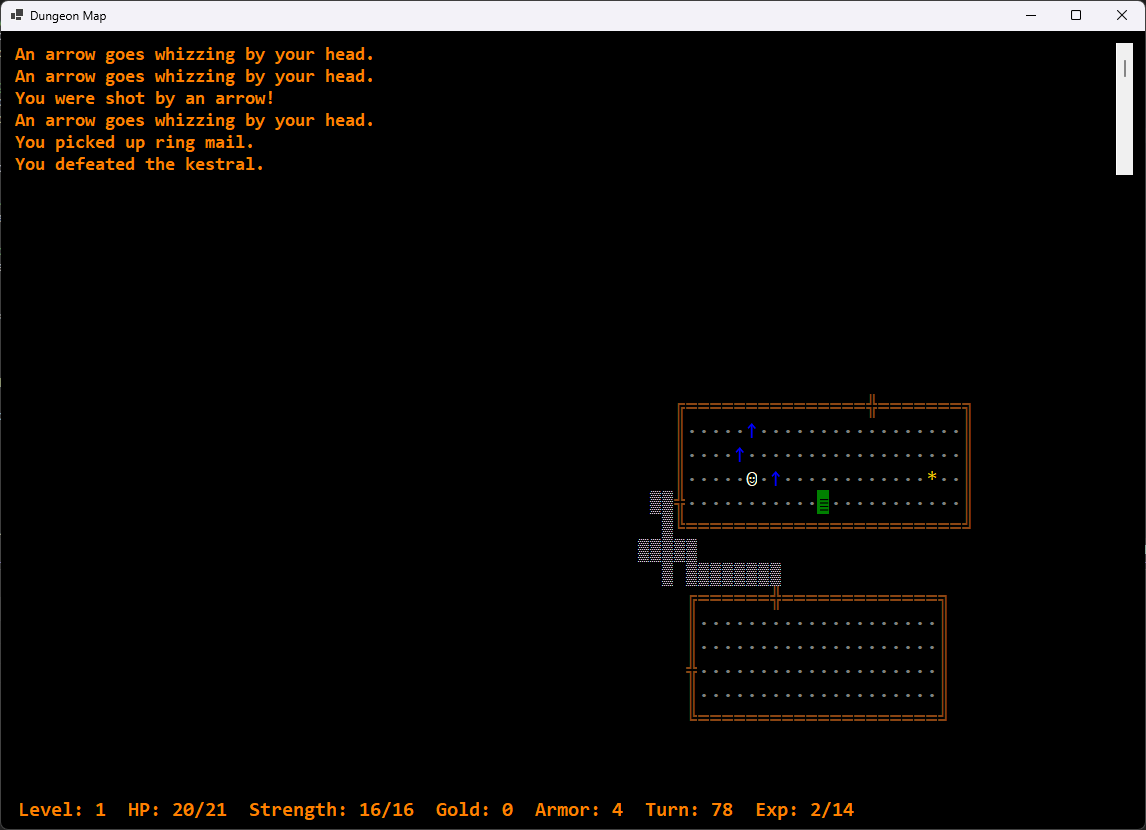
As always, careful editing is key; specifying what is to be done for monsters and what’s to be done for the player is important. In the first couple of tests, I had a wandering bat flinging arrows at me when it kept stepping (flying?) onto the trap. Monsters also shouldn’t make the trap visible to the player.
private void SpringTrap(Character character, MapSpace trap)
{

    KeyValuePair<Action<Character>, int> trapDelegate;

    // If trap is found by player

    if (character is Player)
    {
        trap.SearchRequired = false;
        trap.AltMapCharacter = null;
    }

    // Randomly search trap delegates
    for (int i = 0; i < Traps.Count * 2; i++)
    {
        trapDelegate = Traps.ElementAt(rand.Next(0, Traps.Count));

        if (rand.Next(1, 101) < trapDelegate.Value)
        {
            trapDelegate.Key.Invoke(character);
            break;
        }
    }

}
Careful where you step …
There are only seven types of traps in the original Rogue, according to my references but it’s possible I could come up with a few more. If not, I really do need to start adding potions to the game anyway as they function pretty much the same as scrolls and can be added to the same InventoryActions dictionary in the Game class.

