In this chapter … I rewrite a function from the algorithm up and look at the dangers of multi-condition boolean statements and overly-complex code. I also show another couple of examples of using LINQ to simplify selection processes. Read more of the Rogue C# series here.
“I say we take off and nuke the entire site from orbit. It’s only way to be sure …”
That quote came to mind when I started really digging into the MoveMonster() function of the Game class. During the rescue of the Rogue C# game project, I’ve seen some examples of things that weren’t quite thought out the first time around but this might have been a case of over-thinking … or of just really needing to walk away for a bit.

This post is part of a series on creating a roguelike game in C#. For the latest chapters and more information, please visit the Official Project Page on AndrewComeau.com. The current code for this project is also available on Github.
Don’t miss the next chapter! Subscribe for free on Substack to be notified when new chapters are posted.
A confusion of code
I said a couple of chapters ago that I was going to review the MoveMonster() method because it looked a little chaotic. Partly, it was all the loops combined with the multi-condition booleans that I’m so fond of for some reason.
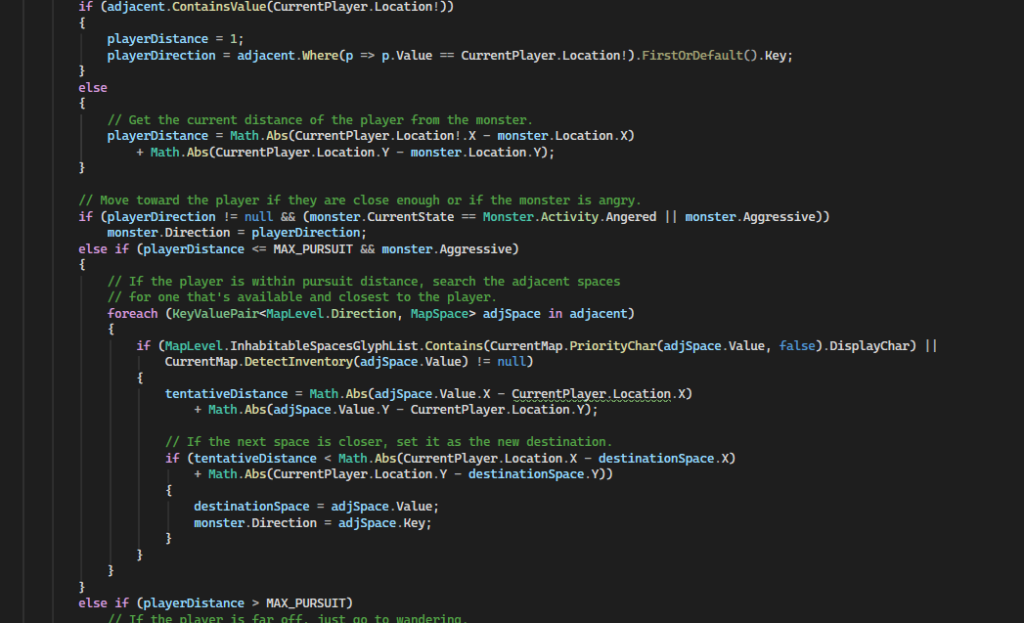
I’ll be honest – I have no idea what I was really thinking when I coded this method. I’d been working on the game for a few months at that point and it’s possible I was getting to the point where I needed a break or maybe I wanted the monsters to be somehow “intelligent”. The length of the chapter I wrote about it probably should have been a clue that the algorithm had been overworked. I tried rescuing it but nothing short of a rewrite will fix it now.
I previously updated the method to start with an evaluation of the monster’s confusion, paralysis and blindness and setting those properties to 0 if the current turn number exceeded the limits they had set. That’s fine; might as well get it out of the way.
If this, then that, except when or on a Tuesday …
Then, there’s my first attempt to be clever with the code while deciding if the monster should move.

Breaking this down, the decision comes down to one of two conditions:
- The monster is wandering, not paralyzed (Immobile = 0) and a random number selection (dice roll) exceeds the monster’s level of inertia which is set to 50 for all monsters at this point.
… OR …
- The monster is just pissed off, probably because the player took a swipe at it.
The problem with combining all of these conditions into a couple of lines like this with conditional AND (&&) and OR (||) operators is that it’s easy to lose track of the actual logic being coded, especially as changes are made. That’s probably what happened here because using the parentheses in the first condition to combine the Immobile evaluation with the other two means that if any of the three are False, the entire condition is false, if even if the monster is supposed to be paralyzed.
Then the conditional OR on the second line says that if the monster is angry, that will override that first decision and allow the monster to move … even if it’s paralyzed.
I was able to fix this without a long decision process by promoting the Immobile evaluation to the top.
// Move monster if it's not paralyzed AND
// (currently wandering and feels like moving OR is angry).
timeToMove = monster.Immobile == 0 &&
        ((monster.CurrentState == Monster.Activity.Wandering &&
            rand.Next(1, 101) >= monster.Inertia)
        || monster.CurrentState == Monster.Activity.Angered);
I also lowered the Inertia default on the monsters so they’re not quite so lazy.
Then, if the monster can move, the code declares a Dictionary<Direction, MapSpace> object and searches for the adjacent characters in four directions of the monster’s current location. I’m not normally a fan of declaring variables mid-code but I’m sure I was trying to save resources by only declaring that Dictionary if the monster was actually going to move.
Taking the algebra down a grade
Then, I came across this in the SearchAdjacent() function of the MapLevel class …
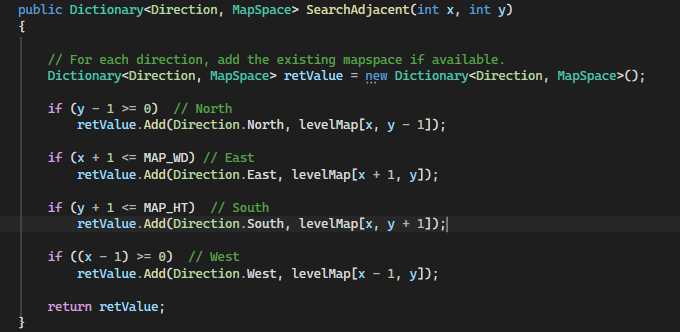
The slightly repetitive nature of the code made my eyes twitch a little and I wondered if this would be better as a LINQ search. I’m a little rusty with LINQ right now so I asked Google Gemini to see what it could do.
var retValue = new (Direction Direction, int X, int Y, bool IsValid)[]
{
    (Direction.North, x,     y - 1, y - 1 >= 0),
    (Direction.East,  x + 1, y,     x + 1 <= MAP_WD),
    (Direction.South, x,     y + 1, y + 1 <= MAP_HT),
    (Direction.West,  x - 1, y,     x - 1 >= 0)
}
.Where(neighbor => neighbor.IsValid)
.ToDictionary(
    neighbor => neighbor.Direction,
    neighbor => levelMap[neighbor.X, neighbor.Y]
);
Ick – just as much code, more confusing and probably no faster. No thanks, I’m not even taking the time to test it. I did notice that the conditions could be simplified. I think I was struggling with the map dimensions and trying to do everything in my head when I wrote the above code.
if (y > 0)  // North
    retValue.Add(Direction.North, levelMap[x, y - 1]);

if (x < MAP_WD) // East
    retValue.Add(Direction.East, levelMap[x + 1, y]);

if (y < MAP_HT)  // South
    retValue.Add(Direction.South, levelMap[x, y + 1]);

if (x > 0)  // West
    retValue.Add(Direction.West, levelMap[x - 1, y]);
Compacting the code
The next thing I noticed was that this method was repeatedly checking the distances between two MapSpace objects, such as when the monster was determining if the player was near enough to stomp on. It was doing this manually, each time.
// Get the current distance of the player from the monster.
playerDistance = Math.Abs(CurrentPlayer.Location!.X - monster.Location.X)
    + Math.Abs(CurrentPlayer.Location.Y - monster.Location.Y);
Turning that into a new function in the MapLevel class was an easy choice.
/// <summary>
/// Get the traveling distance between two MapSpace objects.
/// </summary>
/// <param name="Begin">Beginning space</param>
/// <param name="End">Destination space</param>
/// <returns></returns>
public int GetDistance(MapSpace Begin, MapSpace End)
{
    return Math.Abs(Begin.X - End.X) + Math.Abs(Begin.Y - End.Y);
}
Another advantage to this is that, when I implement diagonal movement in the game, I’ll have a single place to change the distance calculation.
With that refactoring, the code that lets the monster search for the adjacent space closet to the player looks like this:
foreach (KeyValuePair<MapLevel.Direction, MapSpace> adjSpace in adjacent)
{
    if (MapLevel.InhabitableSpacesGlyphList.Contains(CurrentMap.PriorityChar(adjSpace.Value, false).DisplayChar) ||
        CurrentMap.DetectInventory(adjSpace.Value) != null)  // Let monster sit on some inventory if it's there.
    {
        tentativeDistance = CurrentMap.GetDistance(adjSpace.Value, CurrentPlayer.Location!);

        // If the next space is closer, set it as the new destination.
        if (tentativeDistance < CurrentMap.GetDistance(CurrentPlayer.Location!, destinationSpace))
        {
            destinationSpace = adjSpace.Value;
            monster.Direction = adjSpace.Key;
        }
    }
}
I knew that could fit into a LINQ statement and, with some help from Gemini, came up with this:
destinationSpace = adjacent.Where(space =>
    MapLevel.InhabitableSpacesGlyphList.Contains(CurrentMap.PriorityChar(space.Value, false).DisplayChar) ||
    CurrentMap.DetectInventory(space.Value) != null)
    .MinBy(space => CurrentMap.GetDistance(space.Value, CurrentPlayer.Location!)).Value;
The next steps evaluate to see if the player is out of the pursuit range. I had to increase the MAX_PURSUIT constant a bit because the monsters weren’t showing enough initiative.
Going back to the algorithm
That’s when I started to lose the plot of this method. After going through all the trouble of getting the adjacent spaces and deciding if the monster should move, the code seemed to forget about the existing Dictionary of adjacent spaces and re-examined the spaces to see if the monster can move. It all got very convoluted with more multi-condition booleans that included the monster’s feelings like aggression and anger, of all things.
“What has mood to do with it? You fight when the necessity arises—no matter the mood! Mood’s a thing for cattle or making love or playing the baliset. It’s not for fighting.”
So, at this point, I decided to redesign the algorithm from the top down.
- Keep the disability evaluations at the top.
- If the monster is not paralyzed …
- Get the adjacent spaces in four directions (for now).
- Strip out any spaces from the Dictionary that the monster cannot move onto.
- Determine the player’s location in relation to the monster and store.
- In an adjacent space?
- Within pursuit distance?
- IF the player is close enough to bother with …
- IF monster is aggressive or angry.
- Move toward the player using the Dictionary of adjacent spaces
- Attack if in adjacent space.
- IF the monster is confused.
- Try to attack the player but introduce random wrong movement.
- ELSE If the monster is not in the mood and can overcome its own inertia
- Move to an adjacent space with a priority on a continuous direction.
- IF monster is aggressive or angry.
- Get the adjacent spaces in four directions (for now).
Notice that this algorithm does all the information gathering up front and then focuses on decisions in the second half. This is a bit more organized than the old function and, hopefully, easier to parse the next time I have to look at this process.
I think I also over-designed the monster class. There’s no reason it needed properties for aggression and inertia plus an enumeration for Activity state that includes “Angered”. Most of the references for that enumeration were in this method. Once I removed those, the need for the enumeration itself went away so it did, too.
Loose plans are better than none
As I re-wrote the method according the new, saner, algorithm shown above, the code just seemed to collapse on itself and get simpler with every decision. After I eliminated the references to the Activity enumeration as unnecessary, I also noticed that the old method bounced between defining the monster’s destination and its direction, so I focused on defining the new MapSpace destination.
You can see the new method here and compare it to the old version in the history if you like. Here are a few highlights:
Without the references to the Activity enumeration, deciding if the monster can move gets a lot easier.
readyToMove = monster.Immobile == 0 &&
    (rand.Next(1, 101) >= monster.Inertia || monster.Aggressive);
The Dictionary of adjacent spaces is also retrieved and filtered at the start and used as a reference for the rest of the operation. Note that the LINQ filters are applied directly to the output of the SearchAdjacent function.
// Get adjacent spaces.
// Filter for inhabitable spaces, inventory or the player.
Dictionary<MapLevel.Direction, MapSpace> adjacent =
    CurrentMap.SearchAdjacent(monster.Location!.X, monster.Location.Y)
        .Where(space =>
        MapLevel.InhabitableSpacesGlyphList
        .Contains(CurrentMap.PriorityChar(space.Value, false).DisplayChar) ||
        CurrentMap.DetectInventory(space.Value) != null ||
        CurrentPlayer.Location! == space.Value).ToDictionary();
Any confusion on the monster’s part is handled right up front by just grabbing a random adjacent space. The rest of the function tests for null before applying the various other tests to determine the space.
// DECIDE ON A MOVE
if(adjacent.Count > 0)  // If there are available spaces to move to.
{
    // If the monster is confused, just pull a random element from the dictionary.
    if (monster.Confused > 0 && rand.Next(100) < DEGREE_CONFUSION)
        destinationSpace = adjacent.ElementAt(rand.Next(adjacent.Count)).Value;

// Move toward the player if they are close enough and the monster is angry.
if (destinationSpace == null && monster.Aggressive)
...
At the end, if the monster is trying to move into the player’s space, it launches an attack. If not, it goes on its merry way. It’s also important to remember that the rand.Next() function shown above is exclusive of the ending limit provided. I originally had “adjacent.Count – 1” as the limit since the count is zero-based but that meant the last entry in the Dictionary was never selected. Removing the “-1” fixed that.
I noticed that the monsters were tending toward the northeast part of the map so, as a bonus, I added a section that gives the monster a 50% chance of using a door, if it encounters one.
if (destinationSpace == null)
{
    destinationSpace = adjacent
        .Where(space => MapLevel.ROOM_DOOR.DisplayChar == space.Value.MapCharacter.DisplayChar).FirstOrDefault().Value;

    if (destinationSpace != null && rand.Next(100) < COIN_FLIP) { destinationSpace = null; }
}
That COIN_FLIP constant is actually a renaming of the one that determined the degree of confusion. I wanted a general-purpose constant that can be used any time I need to introduce a little chaos with a random selection.
… and the odd change here and there …
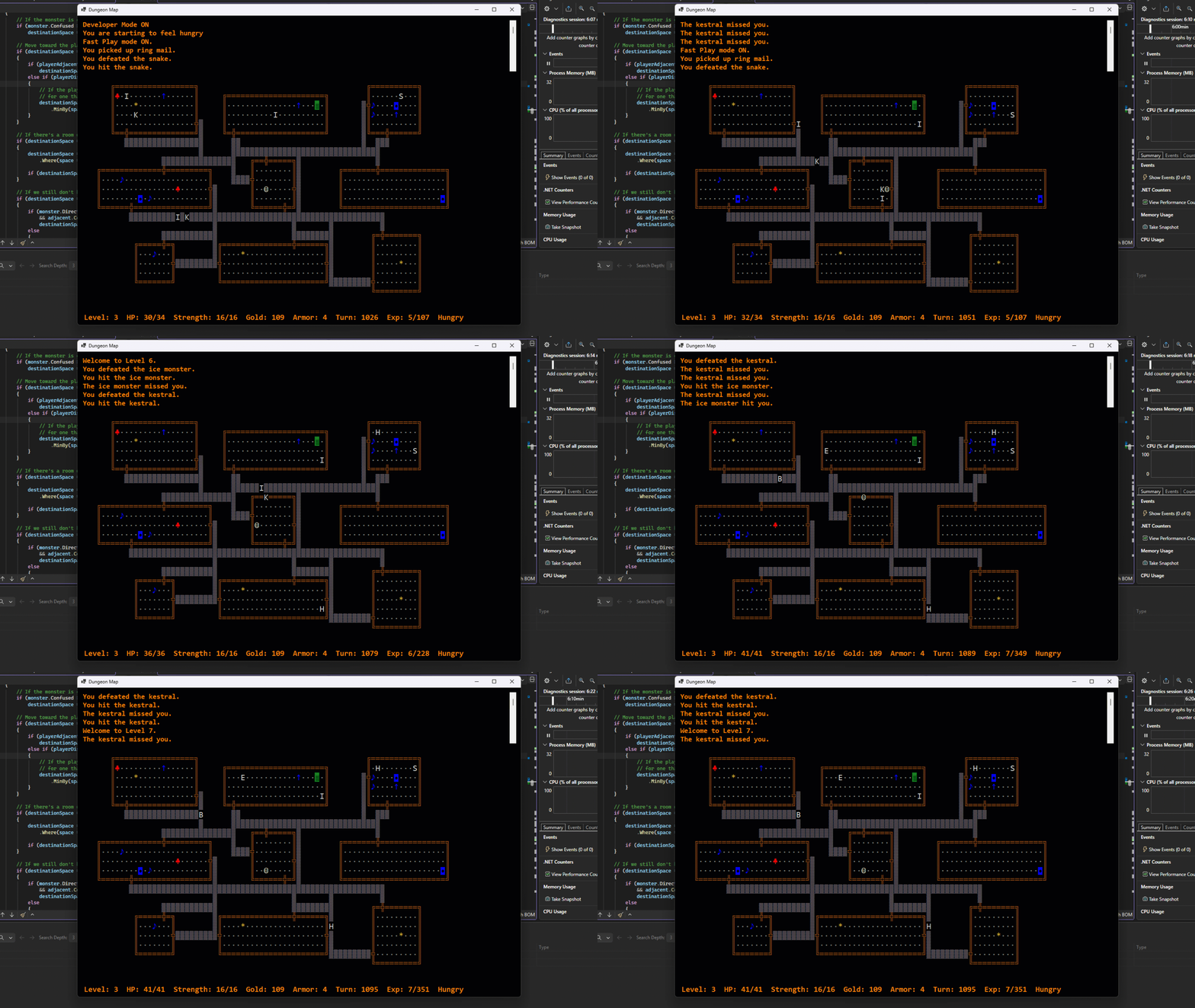
- I also had to create a MIN_MONSTERS_INIT constant in the MapLevel class and use it when creating monsters for the level because some levels were being created without any monsters at all and it was a little lonely.
- In the original game, items were “sold” for gold pieces if a player managed to escape the dungeon with the amulet. Although the end of this game is a long way off, I decided to add an ItemValue property to the Inventory class. Right now, all the templates show 0 but it can be filled in later.
The only wrinkle with this will come with certain monsters that tend to move a little different. Bats can just be permanently confused but Orcs have the amusing habit of running toward any gold stores and trying to protect them. Ice Monsters launch attacks at a distance. Much of it might be covered by special monster abilities which I’ll be looking at coding soon.